NetMonkeys / AV Solutions for Education

AV solutions for education: help learners see, hear and participate

Help teachers, lecturers and learners see, hear and participate. NetMonkeys plans education AV around teaching methods, room layouts, staff confidence and the IT systems already used across your organisation.

Education projects often need to work across teaching rooms, staff development spaces and shared areas. A consistent approach helps staff move between rooms, but a classroom, lecture room and practical training space need different specifications. We start with the learning activity and the people responsible for operating the equipment.

  • Design and equipment supply
  • Installation and integration
  • Practical handover and support
students in classroom with teacher presenting
Quilia / Unsplash. Illustrative photograph.
Quick answer

AV planning across an education organisation

AV solutions for education combine teaching displays, audio, presentation connections, interactive technology and, where required, video participation. A useful installation considers learner visibility, accessibility, teacher operation, network management and safe handover, with the scope agreed for each learning space.

Begin with the result you need from the space and the people who will operate it. NetMonkeys will help identify the equipment, installation tasks and IT dependencies that belong in the proposal. Our audio visual installation service explains the wider delivery approach.

A brief built around your organisation

Give teaching, training and shared spaces different briefs

Teach without spending the opening minutes troubleshooting

Teachers need a short, predictable start sequence and accessible connections. Agree the normal teaching device, software and presentation workflow. A dedicated room guide and practical demonstration help staff use the equipment without depending on the colleague who happens to know the system.

Plan around the school or academic calendar

Installation access, examinations, inset days and contractor requirements affect delivery. Establish the available windows before equipment is ordered. Site rules, supervision and any required checks are confirmed through your organisation’s procurement and access processes.

Manage education AV as part of the IT estate

Displays and room computers need administrative ownership, updates and an agreed account model. Define who manages software, what happens when a device is replaced and how work is cleared between users. Technical controls support your governance; they do not replace safeguarding policies.

Match the technology to the activity

A framework for learning-space technology

Teaching rooms

Consistent presentation and appropriate interaction.

Staff development

Training, remote collaboration and shared planning.

Shared information areas

Approved announcements and visitor information.

Practical learning spaces

Equipment and positioning suited to the activity.

These examples establish the design conversation, rather than a fixed equipment package. Tell us which uses are essential and which would be optional. A feature that is rarely needed should not make every normal session harder to start.

From design to day-to-day use

Build an education AV programme around teaching practice

Consistent teaching-room presentation

Develop familiar teacher connections and start sequences while allowing screen and audio choices to fit the different learning spaces.

Interactive group learning

Select interaction against lesson activities, approved applications and the process for saving and clearing work between users.

Staff-development and hybrid training

Support staff learning and remote participation with suitable presenter and audience audio, tested with the course material.

Approved campus information displays

Keep announcements and visitor information within an approved publishing process, with responsibility for updating and reviewing the content.

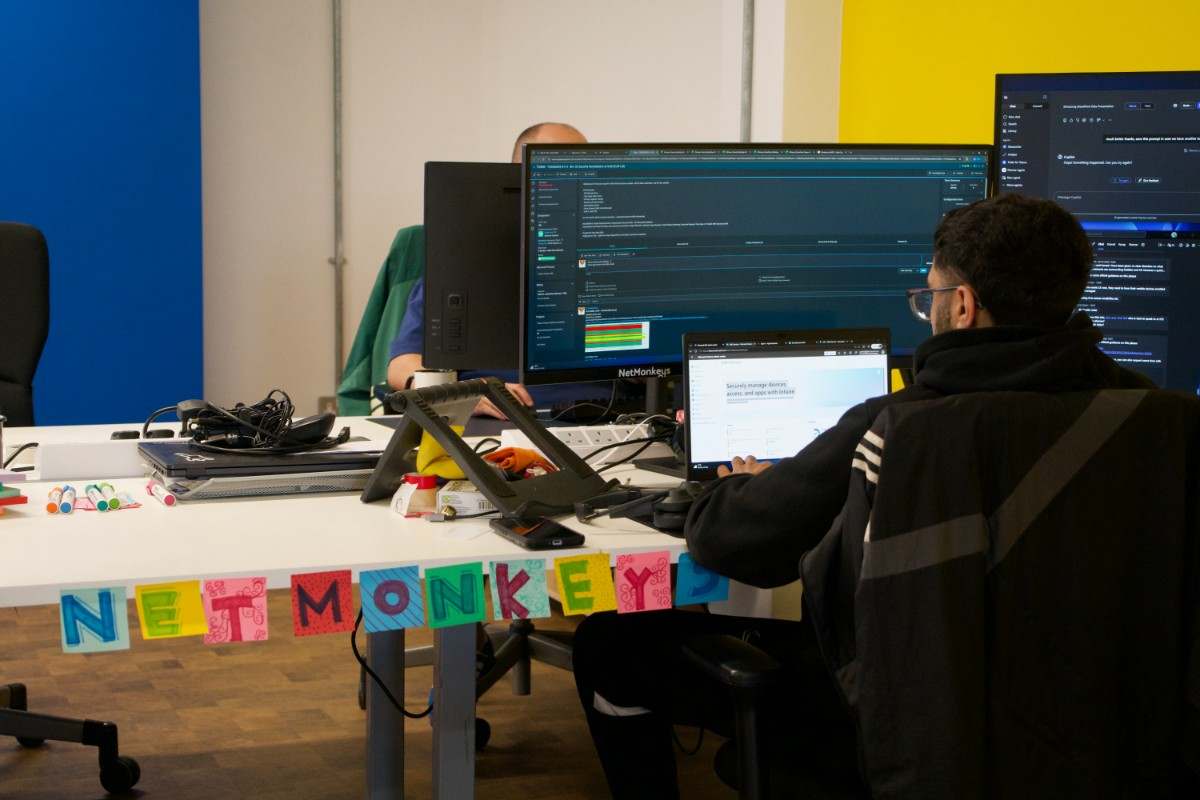
NetMonkeys team member
NetMonkeys team photography. Illustrates the people and activities behind our services.
Usability comes first

Help staff move between rooms without relearning the controls

Agree a recognisable start sequence across teaching spaces while allowing equipment to differ. Staff should know how to connect the approved teaching device, choose content and finish the session. Use the same structure for room guides, and identify the differences that matter. Temporary staff and new starters need a usable introduction too.

Review your room requirements

For a more detailed room brief, explore Classroom AV Solutions, Training Room AV Solutions and Interactive AV Solutions. These pages help connect this project with the specific activity your users need to complete.

Evidence before sign-off

Evidence that the learning spaces are ready

Ask teaching staff to use normal lesson material from their usual position. Check learner visibility and the practical steps needed between activities. The IT team should confirm administration, supported software and the fault-reporting route. A successful equipment demonstration is only one part of determining whether the room is ready for teaching.

Room priorities for AV Solutions for Education
ActivityWhat the design should address
Teaching roomsConsistent presentation and appropriate interaction.
Staff developmentTraining, remote collaboration and shared planning.
Shared information areasApproved announcements and visitor information.
Practical learning spacesEquipment and positioning suited to the activity.
A controlled delivery plan

Work around the academic calendar and site rules

Plan the programme around the education calendar

Identify available access windows, examination periods and any restrictions on contractor attendance. Establish which rooms can be released first and who approves site entry. A pilot with staff feedback can improve guidance before the wider rollout. Confirm furniture, power and network readiness before the installation window begins.

Compare the whole project

Allocate the education AV budget by learning requirement

Compare room types and essential teaching activities before approving a single standard for every space. Identify equipment, installation, software and training costs separately. Ask how existing usable equipment will be assessed and what support the organisation needs to manage the new devices after handover.


Request a scoped proposal
Questions before you buy

Questions for education procurement and IT teams

What is included in AV solutions for Education?

AV solutions for education combine teaching displays, audio, presentation connections, interactive technology and, where required, video participation. A useful installation considers learner visibility, accessibility, teacher operation, network management and safe handover, with the scope agreed for each learning space.

How do you make education AV consistent between rooms?

Agree a recognisable start sequence across teaching spaces while allowing equipment to differ. Staff should know how to connect the approved teaching device, choose content and finish the session. Use the same structure for room guides, and identify the differences that matter. Temporary staff and new starters need a usable introduction too.

Who should take part in a teaching-room handover?

Ask teaching staff to use normal lesson material from their usual position. Check learner visibility and the practical steps needed between activities. The IT team should confirm administration, supported software and the fault-reporting route. A successful equipment demonstration is only one part of determining whether the room is ready for teaching.

Can installation be planned around term dates?

Identify available access windows, examination periods and any restrictions on contractor attendance. Establish which rooms can be released first and who approves site entry. A pilot with staff feedback can improve guidance before the wider rollout. Confirm furniture, power and network readiness before the installation window begins.

How should an education organisation prioritise its AV budget?

Compare room types and essential teaching activities before approving a single standard for every space. Identify equipment, installation, software and training costs separately. Ask how existing usable equipment will be assessed and what support the organisation needs to manage the new devices after handover.
Business technology guides

Further reading for education technology planning

These existing NetMonkeys guides address the IT, budget and support decisions around room technology. The descriptions explain their relevance to this project; they are not dedicated AV product reviews.

Explore related AV services

Classrooms, training and interactive learning options

Use the pages below to explore the room, sector or location most relevant to your project. Each page links back to our installation service so the equipment and delivery discussion stays connected.

Locations

Rooms, sectors and specialist requirements

Speak to NetMonkeys

Discuss the rooms your education organisation needs

Tell us which rooms or sites are involved, what users need to do and what is not working today. Bring any drawings, equipment lists and deadlines you already have. We will help identify the design, supply and installation work needed for a practical next step.

Updated 16 November 2026. Stock photography illustrates the relevant setting; it is not presented as a NetMonkeys installation or local client case study.
