
Microsoft Dynamics 365 Business Central Finance Implementation
Replace Sage, Xero, QuickBooks or a fragile spreadsheet with a single Business Central finance system covering the general ledger, cash management, fixed assets, budgeting and consolidations — implemented by a certified UK Microsoft Business Central Partner.
“NetMonkeys transformed our financial operations. Migrating from Sage to Business Central cut our month-end close from eleven days to just two, giving us true real-time visibility.”
— Finance Director, UK Manufacturing Group
What is Business Central Finance Implementation?
Business Central Finance is the financial management module inside Microsoft Dynamics 365 Business Central — the general ledger, accounts payable, accounts receivable, cash management, fixed assets, budgeting and multi-currency capability that most businesses implement first, before extending into sales, inventory or manufacturing. It is Microsoft's cloud-based replacement for entry-level accounting packages such as Sage 50, Sage 200, Xero and QuickBooks once a business outgrows them, and it's built natively on the same platform as the wider Business Central ERP, so finance data connects directly to sales, purchasing and inventory without exports or manual re-keying.
Our Business Central Finance Implementation Services
We deliver end-to-end finance implementations designed to streamline your accounting processes, automate compliance, and provide accurate, board-level visibility.
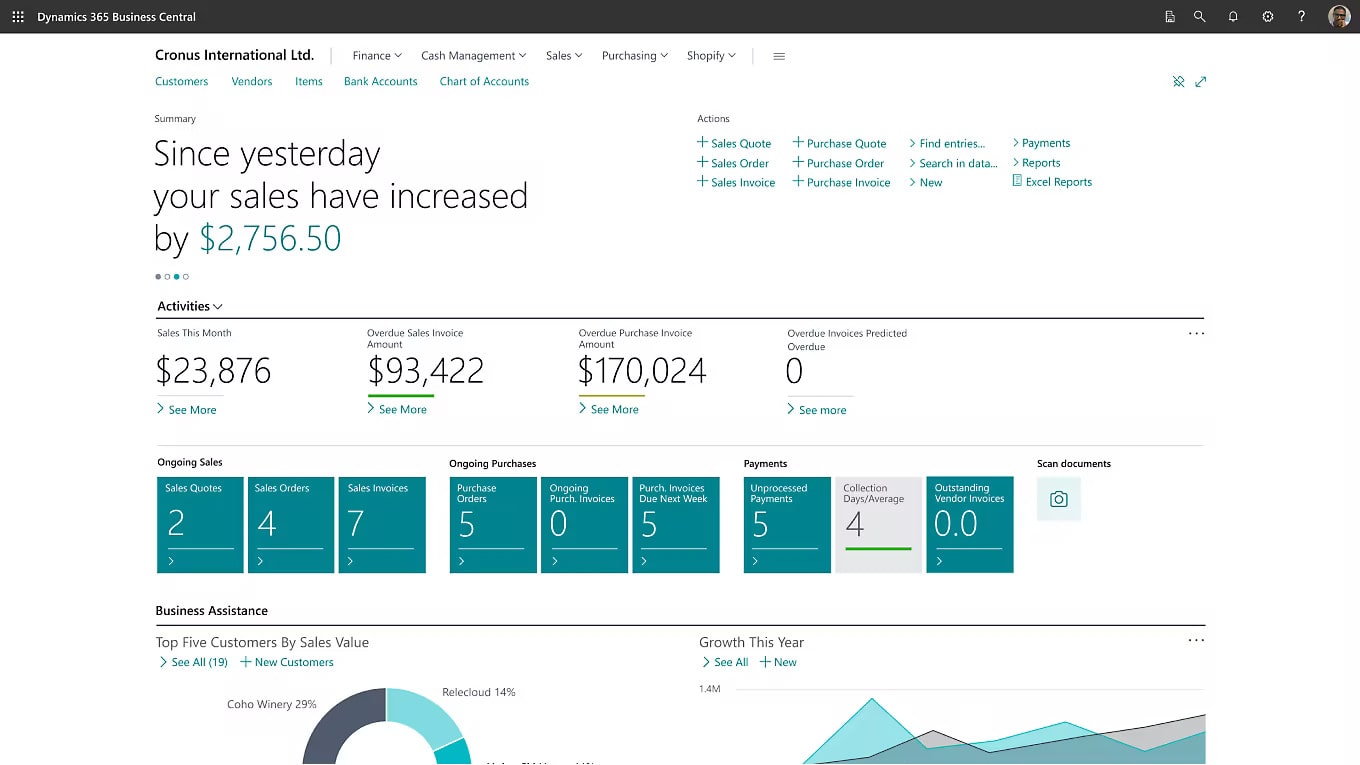
What's inside the Business Central finance module
The finance module is available in every Business Central edition and forms the foundation of the wider system.
General Ledger
Chart of accounts, dimensions, journals, recurring entries and year-end close, with full drill-back to source transactions.
Accounts Payable
Vendor records, purchase invoices, payment proposals, approval workflows and ageing analysis.
Accounts Receivable
Customer records, sales invoicing, credit limits, statements and automated reminders for overdue balances.
Cash & Bank Management
Bank reconciliation, cash flow forecasting and multi-bank account management with automated matching.
Fixed Assets
Asset registers, depreciation books, disposal handling and insurance tracking, integrated directly with the GL.
Budgets & Consolidations
Departmental and project budgets, variance reporting, and multi-entity consolidation for group structures.
Multi-Currency
Automated exchange rate updates, realised/unrealised gains and losses, and multi-currency reporting for international trade.
VAT & Making Tax Digital
MTD-compliant VAT returns, EC sales lists and automated VAT calculation across multiple rates and jurisdictions.
Financial Reporting
Account schedules, built-in financial statements and native Power BI dashboards for real-time visibility.
Signs your finance system needs replacing
Legacy packages and entry-level bookkeeping tools quietly create operational bottlenecks that throttle commercial growth. If these symptoms sound familiar, your financial infrastructure has reached its limit and requires a modern cloud solution.
Month-end close takes weeks
When financial close stretches past the second or third week of the month, your leadership team is making strategic decisions based on historical data rather than real-time performance. Disconnected systems force finance staff to spend days manually chasing journals, reconciling offline bank feeds, and untangling messy spreadsheets. Dynamics 365 Business Central automates bank reconciliations, recurring postings, and intercompany transactions to cut your financial close down to just a few days.
You've outgrown Sage, Xero or QuickBooks
Entry-level accounting packages are exceptional for early-stage companies, but rapidly expanding transaction volumes, multiple warehouses, or multi-tiered approval workflows will quickly degrade system speed and stability. When your accounting database begins locking up, crashing during high-volume periods, or hitting strict transaction caps, your business has fundamentally outgrown entry-level software. Business Central provides a resilient, enterprise-grade cloud architecture built to scale effortlessly with your company's long-term commercial growth.
No real-time visibility of margins
If calculating product profitability, project margins, or current cash positions requires compiling data manually across disparate exports, the figures are already obsolete by the time the board reviews them. This reporting lag hides margin erosion, inventory carrying costs, and unexpected cash flow shortages. Business Central unites transactional sales, purchase orders, and inventory valuation directly with the general ledger, delivering live, audit-ready financial dashboards whenever you need them.
Finance is disconnected from operations
When sales orders, inventory movements, and warehouse purchasing happen in disconnected platforms, finance teams are left to manually re-key figures, create endless CSV imports, and reconcile discrepancies by hand. This operational friction introduces human data entry errors, delays customer invoicing, and creates friction between departments. Business Central connects operations and accounting in a unified cloud platform, ensuring that operational actions update your general ledger immediately without double-entry.
Compliance is getting harder
Managing Making Tax Digital (MTD) submissions, multi-currency VAT returns, and strict statutory audit trails becomes risky and laborious when relying on third-party plugins or patched-together legacy systems. If external auditors struggle to trace transactions from source documents to financial ledgers, compliance costs spiral out of control. Business Central includes native MTD compliance, immutable audit logging, granular permission controls, and international tax support built directly into the core platform.
Multiple entities, one spreadsheet
Managing multiple legal entities or international subsidiaries across separate accounting files requires laborious manual consolidation in spreadsheets, which introduces severe reporting risks and formula corruption. The board never gets an instantaneous view of group performance, intercompany eliminations, or consolidated balance sheets. Business Central delivers native multi-company management, automated intercompany transaction postings, and centralised multi-currency consolidation with real-time drill-down directly into subsidiary ledgers.
Benefits of implementing Business Central Finance
Faster month-end close
Automated bank reconciliation and journal posting cut manual reconciliation work and shorten the financial close cycle.
Real-time margin visibility
Finance is connected directly to sales and inventory data, so gross margin and cash position are always current.
One system, one version of the truth
No more reconciling exports between accounting software, a CRM and a warehouse spreadsheet.
Built-in compliance
Making Tax Digital, multi-currency VAT and audit trails are native functionality, not third-party add-ons.
Scales with the business
New entities, currencies and users are added within the existing system rather than forcing a future re-platform.
Native Microsoft integration
Direct connection to Excel, Outlook, Power BI and the wider Microsoft 365 tools your finance team already uses daily.
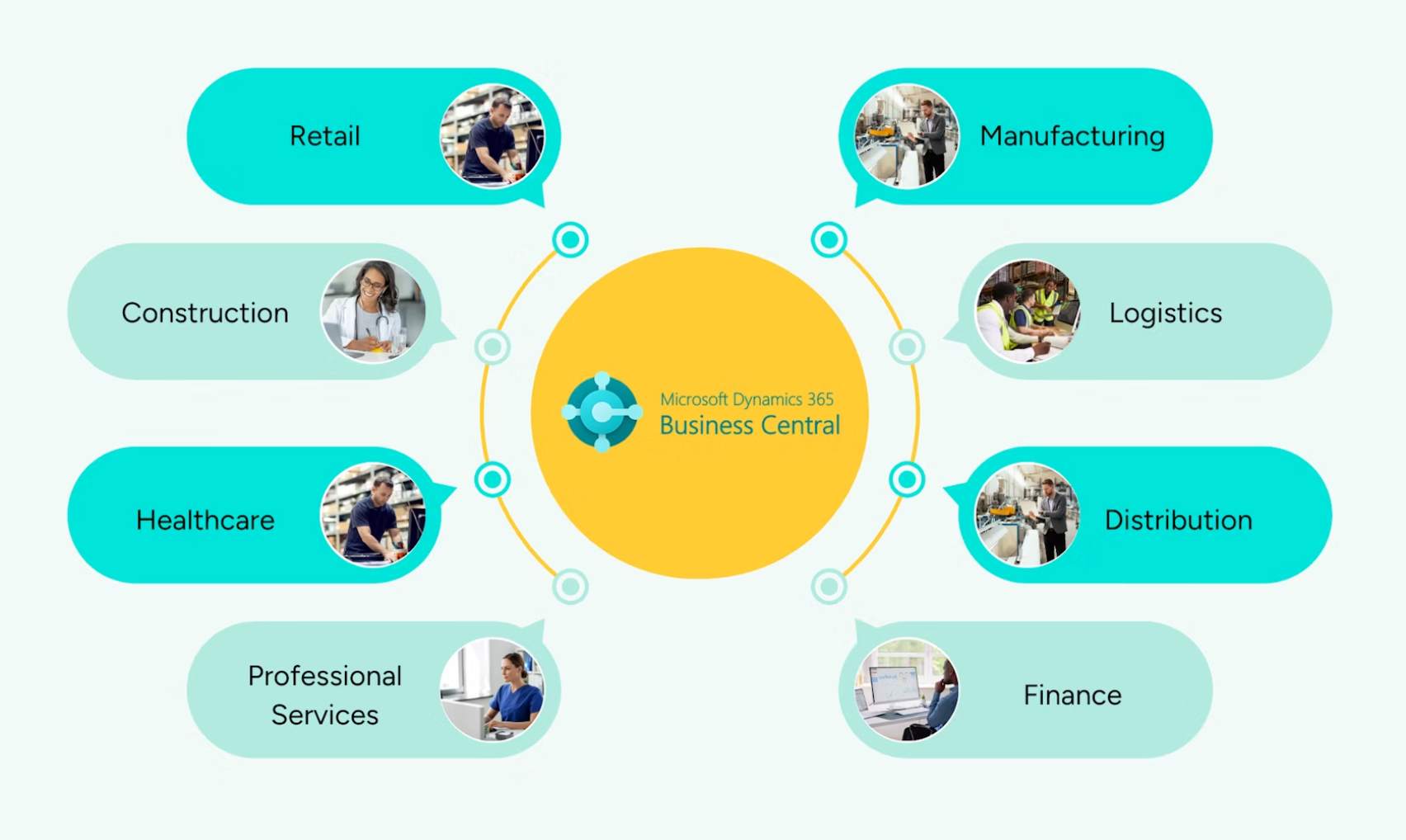
Different types of industries we support with Dynamics 365 finance implementation
Every industry has distinct accounting, regulatory, and reporting requirements. We tailor Business Central Finance to address the operational realities of your sector.
Construction
Job costing, CIS and retention accounting.
BC for Construction →Manufacturing
Standard costing and WIP reconciliation.
BC for Manufacturing →Retail
Multi-channel reconciliation and margin reporting.
BC Retail ERP →Distribution
Landed cost and trade pricing finance flows.
BC for Supply Chain →Professional Services
Project accounting, resource utilisation, and time-and-materials billing.
Legal
Matter costing, disbursement handling, and strict client trust accounting.
Financial Services
Regulated financial statements, multi-entity portfolios, and audit trails.
Charities & NFP
Fund accounting, restricted grant tracking, and SORP-compliant reporting.
Business Central finance implementation vs Sage, Xero and QuickBooks
Entry-level accounting software is built for bookkeeping. Business Central finance is built as the financial core of a full ERP.
| Capability | Business Central Finance | Sage 50 / Xero / QuickBooks | Sage 200 |
|---|---|---|---|
| Native ERP integration | ✓ Sales, inventory, projects, HR | ✗ Finance only | Partial, separate modules |
| Multi-entity consolidation | ✓ Built in | ✗ Manual / add-on | Add-on required |
| Multi-currency | ✓ Native, automated rates | Limited | ✓ Available |
| Power BI reporting | ✓ Native connector | ✗ Third-party export | Add-on required |
| Copilot / AI assistance | ✓ Native | ✗ Not available | ✗ Not available |
| Deployment model | Cloud-native, Azure-hosted | Cloud or desktop | On-premise or hosted |
| Typical user ceiling | Scales to hundreds of users | Practical limit under 20–30 | Scales further than SBS |
Business Central vs Dynamics 365 Finance and Operations
Both are Microsoft ERP products, but they're built for different scales of business — and the wrong choice is expensive to unwind later.
| Factor | Business Central | Finance and Operations (D365 F&O) |
|---|---|---|
| Target company size | SMEs, typically 10–300 users | Large enterprise, complex multi-national groups |
| Implementation timeline | 8–16 weeks typical | 6–18+ months typical |
| Implementation cost | £15,000–£150,000+ | £250,000 to several million |
| Financial complexity ceiling | Multi-entity, multi-currency SME needs | Complex global tax, intercompany, treasury |
| Customisation depth | AL extensions, moderate depth | Deep X++ customisation, dedicated dev teams |
| Manufacturing/supply chain scale | Single-site to mid-complexity | Global, multi-site, high complexity |
| Ongoing licence cost | From ~£60/user/month | Substantially higher per-user cost |
Most UK SMEs and mid-market businesses — including those with £5m to £150m turnover — are correctly sized for Business Central rather than Finance and Operations. If you're unsure which fits, our consultants will tell you honestly, even if the answer isn't the sale that suits us best.
Is Business Central Finance right for your business?
- You're outgrowing Sage 50, Xero or QuickBooks
- Month-end close takes longer than a week
- You operate more than one legal entity or currency
- Finance data doesn't connect to sales or inventory systems
- You need audit-ready compliance for MTD or IFRS
- Your board wants real-time reporting, not month-old exports
- You're already using, or plan to use, Microsoft 365
- You expect to add manufacturing, projects or service management later
Why choose NetMonkeys for your Business Central finance implementation
How we implement Business Central Finance
The same de-risked 6-phase approach we use across our Business Central implementation methodology, scoped specifically to finance.
Finance discovery
Workshops with your finance team to map the current chart of accounts, close process, reporting requirements and pain points.
Chart of accounts & solution design
Design of the GL structure, dimensions, posting groups and consolidation rules for multi-entity setups.
Build & configure
Finance module configured, account schedules and Power BI dashboards built and tested.
Data migration & reconciliation
Opening balances, historical transactions and outstanding AP/AR migrated from Sage, Xero, QuickBooks or NAV, and reconciled to source.
Training & go-live
Role-based training for finance staff, a planned cutover weekend, and hands-on support through your first month-end close.
Optimise & support
Quarterly reviews, wave-release adoption and a named consultant for ongoing finance queries.

Migrating your finance data into Business Central
Every finance implementation includes migrating historical and open transactions from your existing system, reconciled against source before go-live.
- Sage 50 and Sage 200 finance data migration
- Xero and QuickBooks Online migration
- Dynamics NAV finance data upgrade
- Opening trial balance reconciliation and sign-off
Extending finance into a full Business Central ERP
Most businesses implement finance first, then extend into other modules as budget and priorities allow — without a second implementation project.
Business Central finance and the wider Microsoft ecosystem
Business Central finance implementation pricing
Single-Entity Deployment
Ideal for growing businesses upgrading from standalone bookkeeping software.
- Single operating company & standard chart of accounts
- Designed for teams of 5–15 business users
- Direct bank feeds & standard MTD VAT compliance
- Fixed-scope timeline with 8–10 week delivery target
Mid-Market Scale
Tailored for departmental organisations needing advanced management analytics.
- Multi-currency transactions & departmental cost centres
- Designed for established teams of 15–50 users
- Executive Power BI financial reporting models
- Structured cutover with dedicated first-close assistance
Group & Enterprise
Architected for multi-subsidiary corporate structures and complex reporting.
- Multi-company consolidation & intercompany elimination
- Supports 50+ enterprise users across global sites
- Complex dimension hierarchies & custom approvals
- Phased rollout governance with enterprise SLA coverage
Indicative implementation cost: £15,000–£150,000+ depending on scope. See full Business Central edition pricing.
Add-ons that extend Business Central Finance
Continia
Supplier invoice capture, OCR and approval workflows directly inside BC finance — halves AP processing time.
Jet Reports
Excel-native financial reporting on live BC data, keeping finance teams working in familiar spreadsheet tools.
Zetadocs
Mobile expense capture and automated posting into BC finance, removing paper receipts from the process.
Upgrading finance from Dynamics NAV
If your finance system currently runs on Dynamics NAV, extended support for NAV 2018 ends January 2028. We migrate NAV finance data — including heavily customised C/AL ledgers — directly into Business Central, preserving your chart of accounts and historical reporting.
Risks of a poorly scoped finance implementation
Migrating bad data
Moving unreconciled or duplicated ledger data into a new system just relocates the problem — reconciliation before go-live is not optional.
Under-scoping the chart of accounts
A GL structure copied directly from an old system without redesign often can't support the reporting the business actually needs.
Skipping parallel running
Going live on a new finance system without running at least one period in parallel makes errors far harder to catch and fix.
No named consultant post go-live
Finance issues that surface in the first few months need a specific point of contact, not a generic support ticket queue.
Sage 200 to Business Central Finance in 12 weeks
A West Yorkshire manufacturer ran Sage 200 for finance alongside a separate MRP system and a web of Excel spreadsheets. Month-end close took 11 days with no live stock visibility. NetMonkeys implemented Business Central Finance with Power BI reporting, migrated three years of ledger data, and went live at the start of Q2.
"The consultants actually understood manufacturing finance — we weren't explaining job costing and WIP to them from scratch."
Finance Director, Manufacturer, West YorkshireWhat finance teams say about working with NetMonkeys
"Best decision we made was moving from Sage to Business Central with NetMonkeys. Job costing visibility transformed how we price new work."
Operations Manager, Construction firm, Leeds"Migrated our finance data from Dynamics NAV 2016 with zero disruption. They knew every quirk of our customised chart of accounts."
Managing Director, Distribution, ManchesterA decade of Business Central finance implementations
Business Central finance implementation across the UK
Delivered remotely as standard, with on-site workshops available across our core regions for discovery and go-live.
Business Central Finance: frequently asked questions
What is Business Central Finance used for?
It manages the general ledger, accounts payable and receivable, cash management, fixed assets and financial reporting for a business, replacing entry-level accounting software once a business outgrows it.
Is Business Central the same as Business Central Finance?
Business Central is the full ERP platform. Finance is one module within it, included in every edition, and can be implemented on its own or alongside sales, inventory and other modules.
Business Central vs Finance and Operations — which do I need?
Business Central suits SMEs and mid-market businesses, typically 10–300 users, with implementations of 8–16 weeks. Finance and Operations is built for large, complex enterprises and typically takes 6–18+ months to implement. Most UK SMEs are correctly sized for Business Central.
Can Business Central Finance replace Sage or Xero?
Yes. It's a common upgrade path for businesses outgrowing Sage 50, Sage 200, Xero or QuickBooks, particularly where multi-entity reporting or inventory integration is needed.
How long does a finance-only implementation take?
A finance-focused implementation typically takes 8–12 weeks, shorter than a full ERP rollout, with our average project going live in 10–14 weeks.
Does Business Central Finance support Making Tax Digital?
Yes. MTD-compliant VAT submission is native functionality, along with multi-rate and multi-jurisdiction VAT handling.
Can I implement finance now and add other modules later?
Yes. Finance-first implementations are common, with supply chain, manufacturing or other modules added on the same platform without a second migration.
What does a Business Central finance implementation cost?
Typically £15,000–£150,000+ depending on scope, data complexity and number of entities. See our full editions and pricing breakdown.
Related Business Central resources
Ready to replace your finance system with Business Central?
Book a free 45-minute discovery call with a senior finance consultant. No slides, no pitch — a straight conversation about whether Business Central fits your business.
Book a Finance Discovery Call
