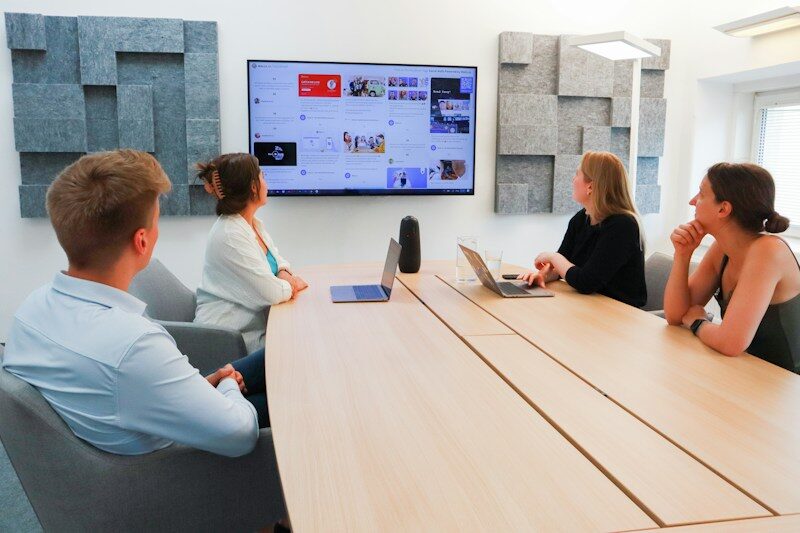
What is included in AV solutions for Meeting Rooms?
AV solutions for meeting rooms combine displays, cameras, microphones, speakers, presentation connections and controls. A complete design also accounts for seating, acoustics, lighting, network access and meeting-platform accounts. The room should be tested with a remote participant and the devices people actually use.
Should we choose a dedicated system or use a laptop?
Compare dedicated room equipment with a supported laptop connection against the meetings you host. A dedicated system needs administration and the appropriate account model. A laptop-led setup still needs dependable connections and guidance. Include visitor presentations, platform requirements and the people who will support the room in that decision.
How do you test a room with remote participants?
Have a colleague join from outside the room. Ask people at the normal seats to speak and share realistic material. Check whether the remote colleague can follow both the discussion and content. Use the intended guest connection as well. This reveals more than a demonstration from a single convenient seat.
What should users practise during room handover?
Document how users join, share content, change volume and end a session. Confirm the supported meeting platforms and who prepares the room account. Let an occasional user complete the process during the handover. Record outstanding connection or account work with a named owner rather than leaving the room apparently complete.
What can a meeting-room hardware price leave out?
A hardware-only quote may omit room-account setup, connection accessories, mounting or user guidance. Compare those elements with recurring licences and support. Be clear about which visitor devices and platforms are supported, and what a change in requirements would mean for the design.