
Leading UK Microsoft SharePoint Consultants
Still working from shared drives? Struggling to find the right document? Concerned that staff can see files they should not? Our SharePoint consultants help UK businesses fix the structure, access and processes behind those problems.
NetMonkeys designs employee intranets, organises document libraries, moves files into SharePoint Online and connects approvals with the way your teams work. Bring us a new project, an unfinished rollout or an existing environment that needs sorting out.
- File server migration planning
- Intranet design and build
- Permissions and document control
- Training for users and site owners
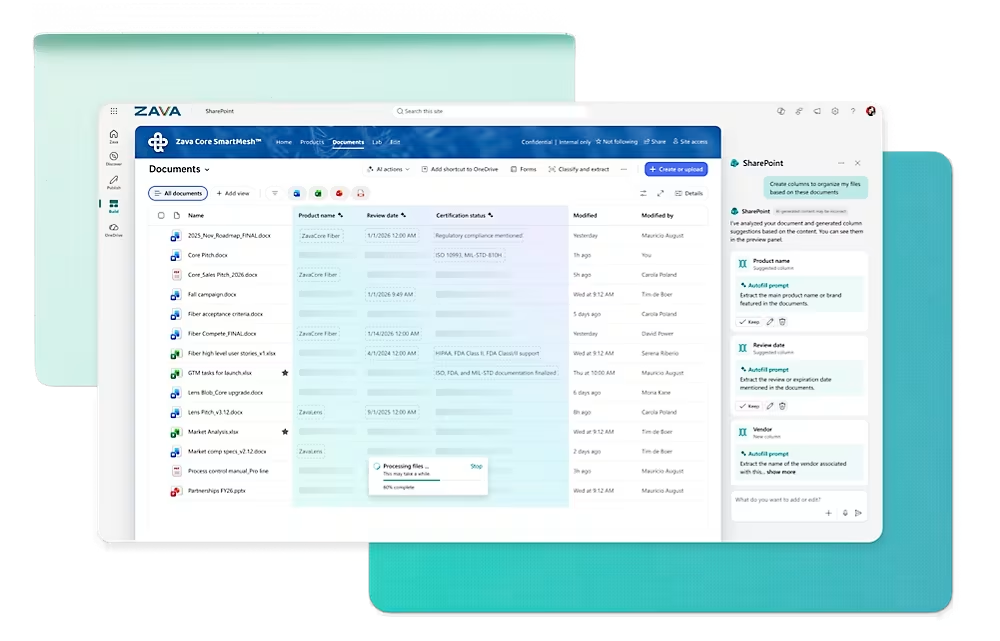
Show us where people get stuck. We will discuss whether you need a targeted fix, a structured migration or a complete intranet project.
Does your business need a SharePoint consultant?
You may already pay for Microsoft 365 but still rely on email attachments, desktop folders and a shared drive nobody wants to tidy. Or you may have moved into SharePoint only to recreate the same confusing folders in a different location. A specialist helps decide what to change, how to change it and who needs to own the result.
Staff cannot find the current file
A proposal is on someone’s desktop, the policy is in an old Teams channel and the project folder has three final versions. We map where approved information should live and how employees will find it.
Your file server needs replacing
Before moving anything, you need to decide which files to keep, how departments will work and which access rules must change. We turn that into a migration plan with a pilot and validation checks.
Sensitive documents are too easy to share
HR records, commercial agreements and finance files need clearer boundaries. We review the relevant sites and sharing arrangements, agree an access model and test it against real employee roles.
Your intranet is out of date
Employees ignore the homepage because the links are broken, the news is old or nobody owns the content. We help rebuild the navigation, publishing responsibilities and resources around everyday tasks.
Approvals depend on chasing people
Requests disappear into inboxes and nobody knows who is waiting for a decision. We scope forms, approval routes, notifications and exception handling for the process you need to improve.
Your IT team needs specialist capacity
Your team may know Microsoft 365 well but lack the time or experience for a complex migration or intranet build. We can take on defined work while keeping your administrators involved.
Not every issue needs a new platform or a complete rebuild. A focused review can establish whether the problem is limited to permissions, content ownership, navigation or a particular workflow. That gives you a basis for buying the right amount of help.
How our SharePoint consultants work with you
Choose the level of help that matches your starting point. We agree the work, the people responsible and what you will receive before implementation begins. Your team stays involved in the business decisions; our specialists handle the technical work included in the engagement.
Review your current SharePoint
For businesses that need to know what is wrong before committing to a larger project. We assess the agreed sites, libraries or processes and explain what needs attention.
- Findings and prioritised recommendations
- Review of the agreed structure and access
- A defined next step for your team
Build or migrate with us
For organisations ready to create an intranet, replace shared drives or restructure their document environment. We deliver the agreed design, migration and handover work.
- Documented scope and delivery milestones
- Pilot, testing and acceptance checkpoints
- User guidance and owner handover
Bring in specialist expertise
For internal IT teams or existing projects that need additional skills. We agree the tasks we will own and the decisions that remain with your administrators and business leads.
- Architecture and migration input
- Targeted technical problem solving
- Knowledge transfer to your own team
If you are unsure which route fits, start with the business issue rather than choosing a package. We can discuss your current environment, who is affected and the work already completed. A short initial conversation helps establish whether a targeted engagement or a broader project is the sensible next step.
Our SharePoint project process
A SharePoint project needs more than a build schedule. It needs decisions about content, access, ownership and how employees will move from the old way of working. Our process puts those decisions in sequence, with review points before changes are rolled out.
Understand the brief
We speak with the project sponsor, IT team and relevant department owners. We identify the problem, the users affected, the source systems and any deadline driving the work. You receive a clearer statement of what the project needs to achieve.
Review content and access
We assess the agreed locations and ask owners to identify sensitive, obsolete and business critical content. For migrations, we establish what moves, what stays and which issues need resolving before transfer. Decisions about deletion and business access remain with your authorised team.
Design and agree the approach
We propose the site structure, libraries, navigation and permissions relevant to your brief. Workflows and integrations are specified where needed. Your stakeholders review the design and acceptance criteria before the wider implementation proceeds.
Build and run a pilot
We configure the agreed environment and test representative content or processes. Employees try realistic tasks: finding a policy, uploading a project file, approving a request or accessing a restricted library. Pilot feedback informs corrections before rollout.
Launch, train and validate
We coordinate the agreed transition, check the results and explain how staff should work in the new environment. Site owners receive guidance for their responsibilities. Outstanding issues are recorded with an owner and a route to resolution.
Hand over and plan the next phase
We provide the agreed documentation and confirm administration, support and content ownership. If there are further improvements to make, they go into a prioritised backlog with a clear distinction between essential fixes and optional enhancements.
What we need from your team
A project sponsor who can make decisions, content owners who can confirm what is current, and users who can test everyday tasks. We agree these responsibilities before delivery so approvals and missing content do not become last minute surprises.
Book a free consultation with SharePoint experts
Tell us what is happening today. Perhaps your team is moving office and retiring a server, your intranet has fallen out of use, or a SharePoint rollout has left employees confused about where their documents belong. We will discuss the practical problem and the type of specialist help it may require.
You do not need a finished technical specification. Bring a short description of your current systems, the departments affected and any deadline or business change behind the request. If you already have a brief or proposal, we can use it to understand the scope you are considering.
The initial consultation is a conversation about your needs and possible next steps. It does not include an environment audit or technical implementation. If further assessment is needed, we will explain the work involved and discuss a scoped engagement before proceeding.
Information architecture built around how your people search
People usually look for information by the job they need to finish. A service manager wants the current maintenance form. A new employee wants the expenses policy. A project lead wants the approved drawing. Your SharePoint structure needs to support those journeys without requiring staff to understand the organisation chart first.
Our specialists plan site boundaries, library purposes, navigation and content ownership together. We consider where departments need their own working space and where a shared resource is more useful. We also agree naming conventions that make sense to employees, including colleagues joining the organisation later.
Metadata can help organise and filter information, but only if the fields serve a clear purpose. We avoid making staff complete unnecessary classifications simply because the platform allows them. The aim is to capture the information that improves retrieval, reporting or control without introducing friction into every upload.
The result is a structure your content owners can explain and maintain. For background on the principles, see Microsoft’s information architecture guidance. We apply those principles to your operating model, then test the proposed routes with representative users before committing to the wider build.
SharePoint intranet consultants for connected, growing teams
An intranet earns its place when employees can use it to complete routine tasks. News matters, but so do the links, contacts, policies and departmental resources people need throughout the week. Our SharePoint intranet consultants help you decide what belongs on the homepage and what belongs deeper in the structure.
We work with communications, HR and departmental owners to agree a publishing model. Who can create content? Who approves it? Who checks a policy is still current? Those responsibilities should be practical for your team size, including periods when the usual owner is absent.
For a growing organisation, a reusable foundation can offer a sensible starting point. Branding, navigation and initial pages can be configured around your requirements, while additional departments and workflows are introduced through an agreed roadmap. More complex needs can be scoped as a tailored implementation.
You receive a site designed for ongoing use, with guidance for the people who will maintain it. Explore our company intranet planning guide if you are preparing a brief. In a project discussion, we can help turn that brief into an achievable first release rather than an expanding wishlist.
Document control that supports the way departments work
A useful document library makes it clear where a file belongs, which version is current and who is responsible for it. Our consultants help departments move beyond a collection of folders by agreeing the rules behind their documents: creation, review, approval, access and eventual archiving.
We consider different document types separately. A working project file has a different lifecycle from an approved company policy. Supplier records have different access requirements from general staff guidance. Giving everything the same structure may be convenient during setup but creates problems when the content starts to grow.
Where appropriate, we configure version history, document properties, views and approval arrangements around those needs. We also discuss retention requirements with your designated business or compliance owners. Platform settings need to reflect your decisions; installing a feature does not establish the right policy for your organisation.
Your team should understand how to keep the environment organised after handover. We explain the difference between routine content maintenance and changes that need an administrator. That helps prevent a return to uncontrolled folders whenever a department launches a new process or takes on another client.
SharePoint migration consultants who test the destination
A successful migration is more than copying files. Your business needs to know what moved, where it went, who can access it and how employees will work afterwards. Our migration specialists establish those expectations before selecting the tooling or scheduling a cutover.
We assess the agreed source locations and identify issues that may affect the move. These can include obsolete content, duplicate documents, unsupported names, long paths and permissions that do not translate neatly into the destination. Decisions about deletion or access changes remain with your authorised owners.
A pilot helps test the plan against real content. We check the resulting structure, review exceptions and ask users to complete representative tasks. The wider migration can then proceed in agreed stages, with communications, validation and a clear route for handling problems during the transition.
We also agree what happens to the source after launch, including any period of restricted access. Our guide to replacing shared network drives explores the practical considerations. Microsoft’s file share migration guidance provides further technical background. The project plan should translate that preparation into responsibilities and checkpoints specific to your organisation.
SharePoint permissions experts for sensitive business information
Access problems often develop gradually. A colleague shares a folder to meet a deadline, another team copies the content and the original owner leaves. Over time, nobody can confidently explain who should see which files. Our SharePoint experts help you establish clearer ownership and access boundaries.
We start by understanding the sensitivity of the information and the roles that need it. HR, finance and client delivery teams may require different arrangements. External partners need a defined purpose and an owner responsible for reviewing whether their access is still appropriate.
Where practical, permissions are managed through agreed groups and site structures rather than a growing collection of individual exceptions. We review the sharing settings relevant to the project and test access using representative roles. Users should be able to reach the content they need without gaining unnecessary visibility elsewhere.
Your internal security and compliance stakeholders remain part of the decision. We document the agreed model and explain how future joiners, movers and leavers should be handled. Read our guide to controlling access to sensitive SharePoint files for questions worth bringing to an initial discussion.
Workflow specialists who reduce manual chasing
Documents often sit inside a larger process. A request needs approval, a supplier form needs checking or a completed job needs supporting evidence. Our consultants look at the next action as well as the document itself, helping you identify where a structured workflow would be useful.
Using SharePoint alongside appropriate Power Platform tools, we can scope forms, notifications and approval routes around a defined business process. We establish the information needed at submission, the people responsible for decisions and the circumstances that should send a request back for correction.
Exceptions deserve as much attention as the standard route. What happens when an approver is unavailable? Who investigates a failed automation? Can a user submit the same request twice? Those questions help determine whether a workflow will remain dependable once the initial demonstration is over.
We confirm connector availability, licensing and ownership before implementation. For projects needing more than standard configuration, our Power Apps specialists can help define the additional work. You can start with one repeatable process, measure how it performs and decide whether the same approach belongs elsewhere in the business.
Connect SharePoint with the business applications you use
Employees should not have to rebuild the same information in several applications. Where suitable interfaces are available, SharePoint can be connected with the systems supporting customers, projects, finance and operations. Our role is to identify a useful connection and establish exactly what it should do.
A project might link supporting documents to customer records, create a library when new work is approved or make operational information available for reporting. We define which application owns the record, how identifiers are matched and what should happen when information changes or a transfer fails.
For organisations using Dynamics 365 Business Central, we can scope the relationship between business records and supporting documents. Where management reporting is needed, our Power BI team can assess how SharePoint information should sit alongside other data sources.
Integration is scoped against your actual applications, access controls and licensing. We do not assume every system supports every requested connection. Your proposal should explain the achievable behaviour, technical dependencies and ongoing support responsibilities so your business understands the commitment before development begins.
Signs you may need a new SharePoint expert
One delayed response does not tell you everything about a supplier. Look for repeated delivery gaps, unclear accountability or a mismatch between the help available and the work your business now needs. Before changing providers, document the issue and ask whether it can be resolved.
No clear owner or next action
Questions move between your supplier and internal team without a decision. Ask for a named delivery contact, an agreed action list and a documented escalation route.
You cannot get the configuration explained
Your team does not know how permissions, workflows or integrations were set up. Request a handover covering the current configuration, dependencies and support responsibilities.
The same problems keep returning
Access exceptions, duplicate documents and broken approvals are repeatedly patched without addressing the cause. A review should identify whether the structure or process needs changing.
Staff still work around the system
Employees keep private copies, email attachments or save documents on the old drive because the new environment is difficult to use. You need user feedback and a concrete adoption plan.
Scope and costs are unclear
You cannot distinguish included work from additional requests, or milestones have no acceptance criteria. Ask for a written scope, assumptions and a process for approving changes.
Your business has outgrown the expertise available
The original supplier may have delivered a small intranet well but lack the migration, security or integration skills needed now. Assess the next phase against the capabilities it requires.
How to switch your SharePoint consultants
Changing specialists should begin with understanding the environment and your current agreement. Your Microsoft 365 tenant, documents and operational knowledge need clear ownership. We help you plan a handover around the work already in place, rather than assuming everything should be replaced.
| Handover stage | What to collect or confirm | Why it matters |
|---|---|---|
| 1. Review the existing agreement | Notice periods, open deliverables, support commitments and rights to custom code or third party components. | Your transition plan needs to reflect the commitments and dependencies already in place. |
| 2. Confirm administrative control | Authorised tenant administrators, supplier accounts and the access needed for an agreed assessment. | Your business should understand who can administer the environment before changing access. |
| 3. Gather technical information | Site inventory, permission model, migration records, workflow owners, app registrations and integration documentation where relevant. | The incoming team needs to understand how the environment operates and what it depends on. |
| 4. Review before making changes | Known defects, outstanding requirements, critical business processes and the current state of the implementation. | A baseline helps distinguish inherited issues from new work and protects functioning processes. |
| 5. Agree a transition and support plan | Responsibilities, handover meetings, testing, outstanding issues and the date new support arrangements begin. | Users and administrators need a clear route for help during the change. |
| 6. Remove access when appropriate | Review supplier permissions and any dependencies before retiring accounts or credentials. | Removing access too early can disrupt workflows or integrations that use those identities. |
Where possible, a cooperative handover is the most useful route. We can work with your existing provider and internal team once responsibilities are agreed. If documentation is incomplete, an assessment may be needed to establish the configuration before we can responsibly quote for changes or ongoing support.
You retain control of the decision. Our first task is to explain what can be kept, what needs attention and which dependencies affect the transition. We can then propose a recovery or improvement plan with a clear scope instead of asking you to fund a full rebuild without evidence.
Training that gives employees and site owners different answers
General platform training rarely answers every employee’s question. Most people want to know how to find a document, share it correctly and complete a familiar task in the new environment. Site owners need a different level of understanding because they will maintain pages, manage content and recognise when something needs escalation.
We plan adoption around those roles. User sessions can follow the actual tasks in your organisation, while content owners receive guidance on publishing, review responsibilities and the agreed structure. Administrators need the configuration decisions and support information relevant to the environment they will manage.
Communication starts before launch. Staff need to know what is changing, why it matters and where they should go for help. During transition, clear instructions about the old location reduce the risk of people continuing to update files in two different places.
After launch, feedback should inform practical improvements. Repeated questions may reveal an unclear label, a missing link or a process that needs further explanation. Our practical SharePoint user guide can support general learning, while project training focuses on your specific working environment.
What determines the cost of hiring SharePoint consultants?
The cost depends on the work, its complexity and the condition of your starting environment. A review of selected sites is different from a migration across several departments. A simple intranet release is different from a solution involving sensitive records, custom forms and connections to business applications.
We scope the work before providing a project quote. Relevant factors include the number of sites, the amount and condition of content, permission requirements, migration sources, integration complexity and the level of training required. Your team’s availability also affects sequencing and the time needed to obtain approvals.
Ask for the assumptions as well as the price. You should know who prepares content, who makes business decisions and whether licensing, third party tools or ongoing support are included. A lower initial figure is difficult to compare if substantial responsibilities or essential tasks have been left outside the proposal.
We help distinguish what is required for the first release from improvements that can follow later. That makes it easier to align investment with a clear business priority. Send us your current brief and we can discuss the information needed to prepare a meaningful scope and commercial proposal.
Compare SharePoint consultants on the quality of their answers
A supplier comparison should go beyond a feature checklist. Ask each team to explain a relevant project, the challenge it addressed and the decisions behind the result. Look for an ability to describe constraints and tradeoffs, including the work required from the customer.
NetMonkeys publishes a SharePoint Online migration case study for TEP. Use it as a starting point for discussing relevant experience, then ask how that experience applies to your own environment. A previous project is evidence of an approach, rather than a promise that every organisation will have the same scope or outcome.
In a proposal review, ask what you will receive at handover and how acceptance will be confirmed. Request clarity on documentation, training, unresolved issues and support ownership. These details often reveal more about the delivery approach than a long list of platform capabilities.
We welcome a specific brief and practical questions. If a requirement needs more investigation, we will identify that work rather than treating uncertainty as an agreed feature. A useful supplier relationship starts with a shared understanding of the job and the evidence needed to confirm it is complete.
Questions about hiring SharePoint consultants
Can your SharePoint consultants work with our existing IT team?
Yes. An engagement can be scoped around the work your internal team needs help with, such as architecture review, migration planning or technical delivery. We agree responsibilities, access and handover expectations before starting so your team retains visibility of the changes.
Can we hire a specialist for one particular problem?
Yes. A contained assessment or improvement project can be a sensible starting point. Tell us the affected process, the users involved and the issue you want resolved. We will help establish whether a targeted engagement is sufficient or whether wider dependencies need investigation.
Do you support organisations across the UK?
NetMonkeys works with UK businesses, with a presence in Manchester, Nottingham and London. The delivery approach, including remote workshops or any required on site activity, is agreed around your project. Location should support the engagement rather than dictate an unsuitable delivery model.
How long will a project take?
Timing depends on the agreed scope, content readiness, technical complexity and stakeholder availability. We establish a schedule after assessing those factors. Ask for milestones and decision deadlines, including the responsibilities your own team must meet to keep the proposed delivery dates achievable.
Can you improve our current SharePoint rather than replace it?
Yes. We can assess the existing environment and recommend targeted improvements where that is practical. The decision should consider current structure, content quality, permissions and business requirements. Retaining useful work can be preferable to rebuilding areas that already serve your employees well.
What should we prepare before speaking to you?
Bring a short description of the problem, the teams affected and the result you want. Examples of difficult tasks are useful. If available, include your current systems, proposed deadlines and known constraints. You do not need to write a complete technical specification before an initial discussion.
10 SharePoint articles for business decision makers
Use these guides to prepare questions, brief internal stakeholders and understand the decisions behind your project. When you are ready to discuss your own environment, our consultants can help turn the requirements into an agreed scope.
Replacing shared network drives
Plan the move from a file server to structured SharePoint libraries.
Read guide →Guide 02Control access to sensitive files
Understand the permissions questions to resolve before wider sharing.
Read guide →Guide 03Build a company intranet
Prepare the content, navigation and ownership behind a useful intranet.
Read guide →Guide 04What is SharePoint Lists?
Explore structured records for tracking business information and activity.
Read guide →Guide 05SharePoint for project management
Bring project documents, tasks and working information into focus.
Read guide →Guide 06How to use SharePoint
Practical guidance for employees working with shared business content.
Read guide →Guide 07SharePoint Migration Tool guide
Understand the tooling and preparation behind a planned migration.
Read guide →Guide 0810 SharePoint intranet tips
Improve the resources and working habits behind employee adoption.
Read guide →Guide 09SharePoint intranet examples
Explore ideas for homepage layouts, content and department resources.
Read guide →Guide 10SharePoint managed services
Consider where external help fits your ongoing administration needs.
Read guide →Ready to solve your SharePoint problem?
Tell us what is not working, what needs to change and who is involved. Start with a free conversation with our team, then decide the right next step for your business.
Book your free consultation
