
Data Warehouse Tools: Categories and How to Choose
A practical guide to data warehouse tools by category, from storage and ETL to quality, governance and BI, with a selection checklist and a starter stack.
The quick answer
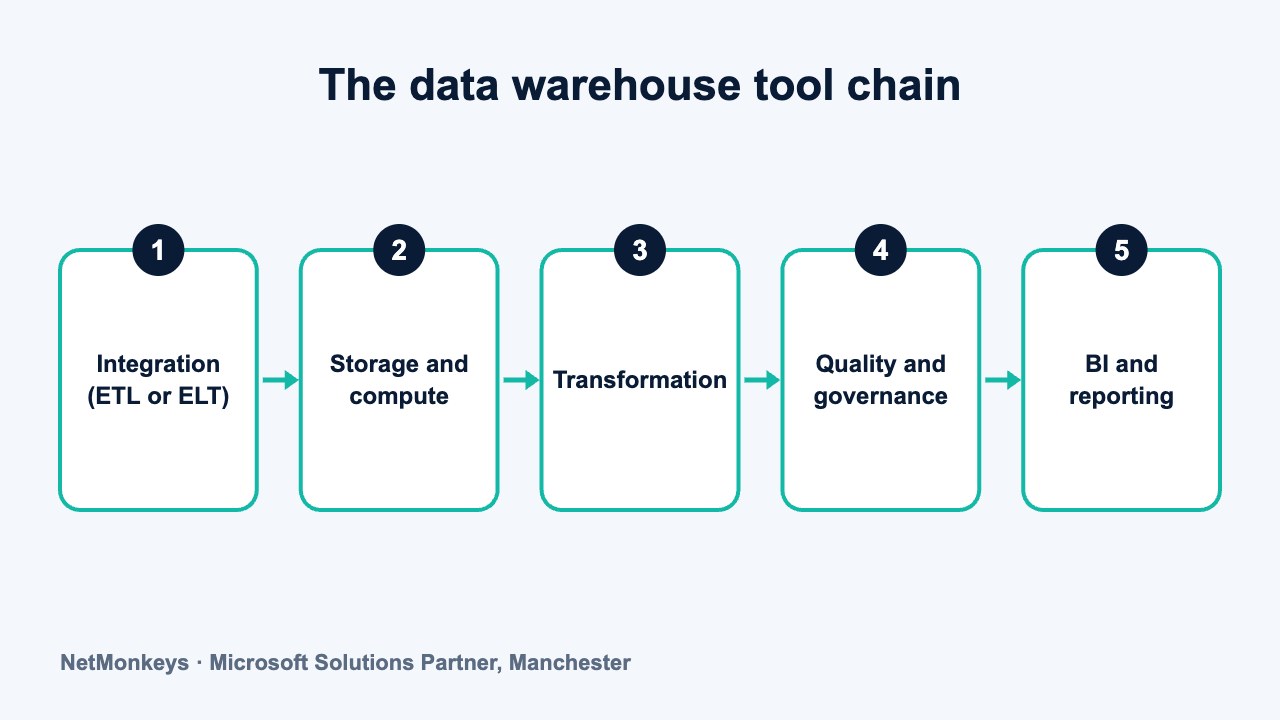
Data warehouse tools fall into seven groups: the storage and compute platform, data integration, orchestration, transformation and modelling, data quality and testing, cataloguing and governance, and BI and reporting. You do not need a product in every group on day one, but you do need to know who covers each job.
Key takeaways
- The warehouse platform is one tool among several. Loading, modelling, testing and reporting need coverage too.
- Pick tools to fit your team's skills and your sources, not a feature checklist.
- ETL and ELT differ in where transformation happens, and many teams use both.
- Quality testing and a data catalogue are the categories most often skipped, and most often missed later.
- A mid-sized UK business can start with a small stack and add tools only when a real problem appears.
What are data warehouse tools?
Data warehouse tools are the pieces of software that move data into a warehouse, store it, shape it, check it, document it and present it. The warehouse database is the centre, but it never works alone.
People searching for tools often expect a single product. In practice you assemble a small set, and the combination matters more than any individual name. If you need a refresher on what sits at the centre, see what a data warehouse is.
A data warehouse consultancy will usually start by asking what you already own, because the best tool is often one your team can already run. The sections below explain each category, what to look for, and how to avoid buying more than you need.
↑ Back to contentsWhich categories of tool surround a warehouse?
The table lists the seven categories, what to look for in each, and example names. The examples are well-known products given for orientation only. They are not a ranking or an endorsement, and offerings change, so check each vendor's current documentation.
| Category | What it does | What to look for | Examples |
|---|---|---|---|
| Storage and compute platform | Stores data and runs queries | Fit with your skills, data volume, cloud estate and UK region options | Amazon Redshift, Google BigQuery, Microsoft Fabric, Azure SQL Database, Snowflake |
| Data integration (ETL and ELT) | Copies data from sources into the warehouse | Connectors for your systems, scheduling, error handling, change capture | Airbyte, Azure Data Factory, Fivetran, Informatica, Matillion, SSIS |
| Orchestration | Runs jobs in order and handles failures | Dependency handling, retries, alerting, visibility of run history | Apache Airflow, Azure Data Factory pipelines, Dagster, Prefect |
| Transformation and modelling | Turns raw tables into a clean, business-ready model | SQL support, version control, documentation, testing hooks | dbt, SQLMesh, stored procedures, Power Query |
| Data quality and testing | Checks data is complete, valid and consistent | Rule types, alerting, ability to run inside pipelines | Great Expectations, Soda, dbt tests, custom SQL checks |
| Catalogue and governance | Records what data exists, who owns it and where it flows | Lineage, search, ownership, classification, access reviews | Alation, Atlan, Collibra, DataHub, Microsoft Purview |
| BI and reporting | Presents data to decision makers | Semantic layer, security model, licensing fit, self-service ease | Looker, Power BI, Qlik, Tableau |
How should you choose the storage and compute platform?
This is the decision people spend longest on and the one that matters least if the rest is done well. Most mainstream platforms can run a warehouse for a mid-sized business. The deciding factors tend to be practical.
- Skills. A team that knows SQL Server will be productive on a Microsoft platform sooner than on an unfamiliar one.
- Existing estate. If you run Microsoft 365 and Power BI, a Microsoft platform reduces integration and identity work.
- Data volume and workload mix. Large, spiky or very varied workloads may justify a platform built to scale compute separately.
- Region and compliance. Confirm you can keep data in the UK if your contracts or sector demand it.
- Exit path. Prefer open formats and standard SQL so that a later move is possible.
Our comparisons of data warehouse platforms, the Snowflake data warehouse and the Azure data warehouse options go further on this one category.
↑ Back to contentsWhat is the difference between ETL and ELT tools?
ETL means extract, transform, load. Data is reshaped in the integration tool before it reaches the warehouse. ELT means extract, load, transform. Raw data is loaded first and then transformed inside the warehouse using its own compute.
ELT is common on modern cloud platforms because the warehouse can do heavy transformation well, and keeping raw data makes problems easier to trace. ETL still makes sense when data must be cleaned or masked before it lands, or when you rely on established tooling.
When comparing integration tools, test the connectors you actually need. A long list of supported sources means little if your finance or line-of-business system is not on it. For awkward systems, system integration services may be the practical route.
Change handling is worth testing too. Ask how the tool picks up updated and deleted records, not just new ones. Tools that only append new rows can leave the warehouse quietly out of step with the source, and that kind of drift is hard to spot until a number is challenged.
↑ Back to contentsWhich tools handle orchestration, transformation and modelling?
Orchestration decides what runs, in what order, and what happens when something fails. For a simple warehouse, the scheduler built into your integration tool may be enough. As dependencies grow, a dedicated orchestrator gives you clearer run history, retries and alerts.
The question to ask is simple: if the nightly load fails at 2am, who finds out, and how quickly? If the honest answer is that the finance director notices at 9am, you need better orchestration and alerting, whatever the product.
Also consider where the orchestrator runs and who maintains it. A self-hosted scheduler gives flexibility but adds servers and patching to your list. A managed service costs less effort but ties you more closely to one vendor's way of working.
Transformation is where raw tables become dimensions and facts that make sense to the business. Tools range from hand-written SQL and stored procedures to frameworks that manage SQL as version-controlled code, with dependencies, documentation and tests built in. Orchestration, covered above, is what runs these steps in the right order.
Look for version control, clear lineage between models, and a way to test changes before they reach production. The tool matters less than the discipline: agreed naming, agreed definitions and a model designed around how the business reports. Our broader thinking on structure sits in data warehouse architecture requirements.
What we would check first
Can you show where a number on a dashboard comes from, back to the source field? If not, transformation logic is probably scattered across reports, spreadsheets and individual heads. Centralise it before buying anything else.
Why do data quality and testing tools matter?
A warehouse that loads quickly but returns wrong numbers is worse than no warehouse, because people trust it. Quality tools run rules against your data and flag problems: missing values, duplicate keys, impossible dates, totals that do not match the source.
Start small. A dozen well-chosen checks on your most important tables, run after every load, catch most real problems. Add more when an incident shows you a gap. Our guide on improving data accuracy across departments covers the human side, which no tool replaces.
↑ Back to contentsWhat do cataloguing and governance tools add?
A catalogue is a searchable record of your data: what each table means, who owns it, where it came from and who may see it. Governance tools add classification, lineage and access review on top.
These tools earn their place when more than a handful of people build reports, or when regulation requires you to show where personal data lives. Before that point, a well-kept shared document of definitions and owners is often enough. Whatever you choose, a catalogue is only as good as the people who maintain it.
Governance also touches security and compliance. Knowing which tables hold personal data lets you apply the right restrictions and respond properly to access requests under UK GDPR. If you need wider protection around the platform, our managed security service covers monitoring and access.
↑ Back to contentsWhich BI and reporting tool should sit on top?
The reporting tool is the one the business sees, so adoption matters more than feature lists. For organisations already on Microsoft 365, Power BI is a common choice because of licensing fit and familiarity. Other tools suit different estates and preferences, and a warehouse can usually serve more than one.
Look for a shared semantic layer so that measures are defined once, row-level security that matches your access rules, and a self-service model your staff will actually use. Our guides to BI software for SMEs and business intelligence companies help with that choice, and our Power BI services cover the Microsoft route.
↑ Back to contentsWhat mistakes do teams make when buying tools?
Most tool problems are not technical. They come from buying ahead of need, or from choosing one category carefully and ignoring the rest.
- Buying a catalogue before there is a model. There is little to catalogue until definitions are agreed.
- Choosing on a demo. Demos use clean data. Your own systems will not be that tidy, so run a trial on a real source.
- Ignoring running costs and effort. Every tool needs someone to monitor it, patch it and answer questions about it. Count that time.
- Duplicating capability. Many platforms already include loading, scheduling or quality features. Use what you own before adding more.
- No owner. A tool without a named owner drifts, and the warehouse drifts with it.
Common mistake
Starting with the product list instead of the business questions. Write down the reports and decisions the warehouse must support first. Then work out which tool categories you need to answer them reliably, and which can wait.
It also helps to keep the number of vendors low. Each additional product brings another contract, another login, another set of release notes and another place for a failure to hide.
↑ Back to contentsWhat checklist should you use when choosing tools?
Apply the same questions to every candidate, and score them against your own situation rather than against a vendor's marketing.
- Does it fit your skills? A tool your team cannot operate becomes a support dependency.
- Does it connect to your sources? Test your real systems, not the demo ones.
- Does it work with the rest of the stack? Check identity, scheduling, version control and reporting integration.
- Can it keep data in the UK? Confirm regions and where metadata and logs are stored.
- Who supports it? Identify the vendor, partner or internal owner before you sign.
- What does leaving look like? Prefer open formats, exportable definitions and standard SQL.
- Is the roadmap stable? Check the vendor's current documentation and release notes, because product lineups change.
- Is it proportionate? Choose the smallest tool that solves the problem you have today.
What is a sensible starter stack for a mid-sized UK business?
Described qualitatively, a minimal stack for a business with a few source systems, a small finance or data team and Microsoft 365 already in place looks like this.
- Platform. One managed warehouse platform, kept in a UK region, with a size that matches current needs and room to grow.
- Integration. One loading tool with connectors for your main systems, plus scheduled loads and failure alerts.
- Transformation. SQL-based, version-controlled models organised in raw, cleaned and business-ready layers.
- Quality. A short set of automated checks on key tables, with failures sent to a named owner.
- Documentation. A shared list of definitions and owners. Add a catalogue when the team and the data grow.
- Reporting. One BI tool with a shared semantic model, connected to the warehouse rather than to source systems.
Add orchestration, a catalogue and further testing only when a real problem asks for them. If you want help sizing the stack to your business, NetMonkeys' data warehouse services and our business intelligence consultants can review your sources and suggest what is proportionate.
Review the stack once a year. Remove anything unused, and check that each tool still has an owner and a clear reason to be there.
↑ Back to contentsFrequently asked questions
What tools do you need to build a data warehouse?
At minimum you need a storage and compute platform, a way to load data, a way to model it and a reporting tool. Quality testing, orchestration and cataloguing become important as the warehouse grows. Start small and add tools in response to real problems.
Is a data warehouse tool the same as a database?
A warehouse platform is a database designed for analysis, but the tools around it do different jobs: loading, scheduling, modelling, testing and reporting. Together they make up the working warehouse.
Should I choose ETL or ELT?
Many teams use ELT because modern warehouses handle transformation well and raw data is kept for tracing issues. ETL suits cases where data must be cleaned or masked before loading. The choice can differ by source within one warehouse.
Do small businesses need a data catalogue?
Usually not at first. A shared document of definitions, owners and sources can do the job while the number of datasets is small. Consider a catalogue when many people build reports or regulation requires clear lineage.
Are the tools named here the best ones?
No ranking is intended. The names are examples of well-known products in each category. The best choice depends on your skills, sources, estate and compliance needs, and vendor offerings change, so check current documentation.
Can I use Power BI as my only warehouse tool?
For a small number of sources and simple reporting, Power BI with Power Query can be enough. As sources, history and users grow, a separate warehouse gives you a stable model and better control over definitions and access.
About this guide and NetMonkeys
Written by Caleb Adoh, Growth Marketing Manager at NetMonkeys. NetMonkeys is a Manchester-based Microsoft Solutions Partner offering data warehouse services, Power BI services and business intelligence consultancy. This guide explains general data warehousing practice. Vendor products and features change, so check the current vendor documentation before making platform decisions.
Planning a data warehouse?
Talk to NetMonkeys about what you need to report on, where your data lives and which approach fits your business.
Explore data warehouse services Contact the team
