
Microsoft Copilot Consultancy for UK Businesses
NetMonkeys provides independent Microsoft Copilot consultancy to organisations across the UK. As a Microsoft Solutions Partner, we help you decide whether Copilot is worth buying, prepare your data and permissions so it is safe to switch on, and roll it out so your people actually use it. Our Microsoft 365 Copilot consultancy sits within our wider Microsoft 365 consultancy practice, so the advice is grounded in how your tenant really works.





Jump to:
What our Microsoft Copilot consultancy includes
Copilot is easy to buy and hard to get right. The licence takes minutes to assign; the preparation that makes it safe and useful takes planning. Our Microsoft Copilot consultancy covers the whole journey: an honest business case, a readiness review of your data and permissions, governance, a phased rollout and measurement afterwards.
Because we also run Microsoft 365 for clients every day, we know where tenants tend to be untidy — and which of those problems matter once an AI assistant can search across everything a user can reach. That practical knowledge is what separates useful Microsoft Copilot consultancy for businesses from a generic AI workshop.
- Copilot business case and licence recommendation by role
- Microsoft Copilot readiness consultancy — data, permissions, labels
- SharePoint, OneDrive and Teams oversharing review
- Identity and access hardening before Copilot goes live
- AI acceptable-use policy and governance framework
- Pilot design with success measures agreed in advance
- Copilot Studio and custom agent design
- Role-based training, prompt libraries and champions network
- Usage reporting and licence optimisation after go-live
- Fixed-price proposal and a named consultant
A Microsoft Copilot service consultancy covering every stage
Our Microsoft Copilot service consultancy is modular. Start where you are — evaluating, preparing or already rolling out — and add stages as you need them.
Copilot Strategy & Business Case
Identify where Copilot will pay back, where Copilot Chat is enough and where it is not worth the licence. You leave with a costed recommendation, not a sales pitch.
Learn more →Copilot Readiness Assessment
Review permissions, sharing links, labels and stale content across SharePoint, OneDrive and Teams, then fix what would otherwise surface in Copilot answers.
Learn more →Security & Data Protection
Conditional Access, device compliance and Purview controls configured so Copilot inherits sensible limits. Monitored afterwards by our managed security service.
Learn more →AI Strategy & Governance
Policy, approval routes and use-case prioritisation that connect Copilot to your wider AI plans. Part of our broader AI consultancy offer.
Learn more →Agents, Power Platform & Insight
Custom agents in Copilot Studio, workflow automation in Power Automate and reporting in Power BI, all built to the same governance standard.
Learn more →Adoption & Ongoing Support
Training, champions and usage reviews, plus day-to-day Microsoft 365 support from the team that knows your tenant.
Learn more →Why UK businesses choose NetMonkeys for Copilot consultancy
Copilot touches email, documents, meetings and chat. Choosing who advises you is a trust decision, and we earn it with independence, evidence and accountability.
Independent of the licence sale
We recommend Copilot where it will pay back and say so where it will not. Our view on whether Copilot is worth the cost is the same advice we give clients.
Certified Microsoft partner
Five Microsoft Solutions Partner designations and Cyber Essentials Plus for our own business. Check our standing on the partnerships page.
We run Microsoft 365 daily
Our consultants work alongside the engineers who manage tenants every day, so recommendations survive contact with real users and real data.
Security before enthusiasm
Copilot respects permissions, so poor permissions become poor answers. We fix the foundations first, aligned with Cyber Essentials expectations.
Measured outcomes
Every pilot starts with agreed measures — time saved, tasks completed, adoption — so the decision to expand is based on evidence rather than enthusiasm.
Advice through to support
We implement, train and support, so nothing is lost between the report and the rollout. See our managed IT support for what happens afterwards.
Want Microsoft Copilot consultancy that ends with evidence, not a slide deck? Book a free consultation — no obligation.
Copilot consultancy compared with a licence-only rollout
Many organisations buy Copilot licences and hope for the best. The table below shows how a guided approach differs from simply switching it on, or relying on a reseller who stops at the invoice.
| Capability | NetMonkeys Copilot consultancy | Licence-only reseller | Switch it on and see |
|---|---|---|---|
| Business case by role | ✓ Role-by-role recommendation | Licences for everyone | No case made |
| Permissions and oversharing review | ✓ Assessed and remediated | ✗ Out of scope | Surprises after go-live |
| Sensitivity labels and DLP | ✓ Designed for your data | Rarely covered | Not in place |
| AI policy and governance | ✓ Written and agreed | ✗ Not provided | Staff improvise |
| Pilot with agreed measures | ✓ Baseline and targets | ✗ None | Anecdotes only |
| Custom agents and automation | ✓ Designed and governed | Separate supplier | Shadow tools |
| Training and adoption | ✓ Role-based, with champions | Webinar at best | Low usage |
| Licence optimisation after launch | ✓ Usage reviews | ✗ Not their incentive | Idle licences |
A guided rollout costs less than a wasted one. Our guide to whether Microsoft Copilot is free explains what you get without a paid licence, and what Microsoft 365 Copilot is covers the basics.
Get a Copilot Readiness ReviewWhy many Copilot rollouts disappoint
The technology works. What goes wrong is usually everything around it: the data, the permissions, the expectations and the training. These are the problems we meet most often.
Oversharing surfaces in answers
Copilot searches what a user can already access. Years of loose sharing links and open Teams sites mean it can surface material nobody realised was reachable.
→ We solve thisLicences bought for everyone
Rolling Copilot out to the whole company at once is the quickest way to pay for seats that sit idle. Value is concentrated in specific roles.
→ We solve thisNo policy for staff
Without clear rules, staff paste sensitive data into public AI tools or trust output they should verify. Governance has to arrive before enthusiasm.
→ We solve thisPoor-quality source content
Duplicated, outdated and contradictory documents produce poor answers. Copilot makes content problems visible, fast.
→ We solve thisTraining treated as optional
A short announcement email is not adoption. People need role-specific examples of what to ask and what to check.
→ We solve thisNo way to measure return
If nobody defined success, nobody can say whether it worked. Renewal becomes a debate based on opinion.
→ We solve thisOur Microsoft Copilot consultancy is designed around these exact failure points. Each has a defined assessment, remedy and owner.
Microsoft Copilot readiness consultancy: get the data in order first
Readiness is where most of the value, and most of the risk, sits. Our Microsoft Copilot readiness consultancy examines the content and access that Copilot will draw on, then closes the gaps in priority order.
Governance and security for Microsoft 365 Copilot
Safe AI adoption depends on controls you can explain to a customer, an auditor or a board. Our work combines technical settings with the policies that govern how people use them.
Copilot Studio agents, Power Platform and Business Central
Beyond the assistant that sits in Word and Outlook, Microsoft lets you build agents that act on your own processes and data. We design them with the same discipline as the rest of your estate.
Adoption: turning Copilot licences into everyday habits
The best-configured Copilot deployment fails if people do not change how they work. Adoption is designed, not announced.
Where Microsoft Copilot earns its licence, department by department
The strongest business cases are specific. Rather than promising general productivity, we identify the tasks in each team where Copilot has a measurable effect, and test them in the pilot.
Finance and operations
Summarising long supplier and contract documents, drafting variance commentary in Excel and preparing board-pack narratives from agreed numbers. Output always needs checking by someone who understands the figures.
Sales and customer teams
Preparing for meetings from email and document history, drafting proposals from approved content and summarising Teams calls into follow-up actions logged in your CRM.
HR and people teams
Drafting job descriptions and policy updates, answering routine staff questions from approved handbooks through a governed agent and summarising survey responses.
Leadership and management
Catching up on long email threads and meetings, preparing briefings from several sources and drafting communications that are then edited in the leader's own voice.
IT and service desk
Summarising incidents, drafting knowledge articles and answering first-line questions through an agent grounded in your documented procedures.
Legal, compliance and risk
Comparing document versions, summarising regulatory updates and locating precedent clauses. Strict access controls and human review are essential in these teams.
Not every role needs a paid licence. Part of our Microsoft 365 Copilot consultancy is working out which of these use cases justify one, and which are covered by free Copilot Chat. See our guide to what is free and the wider Microsoft 365 consultancy approach to licensing.
Understanding Copilot licensing before you commit
Copilot adds a per-user licence on top of an eligible Microsoft 365 plan, so it is worth deciding carefully who needs one.
Microsoft sets Copilot pricing and eligibility, and both change over time, so we confirm current terms with you during the discovery call rather than printing figures that may be out of date. What we can say is how to approach the decision. Begin with the underlying Microsoft 365 plan: Copilot requires an eligible base licence, and some organisations will find that a plan change affects both capability and cost. Our guide to choosing the right Microsoft 365 licence covers that groundwork.
Next, separate the roles. A small group of heavy users of documents, email and meetings will usually justify a licence sooner than an organisation-wide purchase. Run a pilot, measure the results, and add licences only where the evidence supports it. Finally, remember the supporting costs: remediation of permissions, training time and ongoing governance are part of the real cost of adoption, and are usually small compared with the cost of an unplanned data-exposure incident. A short licence audit often finds savings elsewhere in the tenant that help fund the programme.
- Confirm eligible base plans and any required upgrades
- Choose pilot roles using measurable use cases
- Budget for remediation, training and governance
- Review usage monthly and reassign idle licences
- Revisit pricing at each renewal
Six Microsoft Copilot mistakes we help UK businesses avoid
After reviewing a range of tenants, the same errors appear again and again. None is difficult to avoid with a little planning, and each is far cheaper to prevent than to repair once Copilot is live.
The expertise behind our Copilot consultancy
Credible Microsoft Copilot consultancy for businesses depends on hands-on experience of the platform it sits on. NetMonkeys has supported UK organisations since 2006 and works with Microsoft 365, Azure, Dynamics 365 and the Power Platform every week.
Our credentials are public: Microsoft Solutions Partner status across five designations and Cyber Essentials Plus certification for our own business. We also publish practical guidance, from AI strategy for a medium-sized business to how to identify the best AI use cases, so you can judge our thinking before we speak.

Microsoft Copilot consultancy for regulated and information-heavy sectors
Copilot is most valuable where people handle large volumes of documents and communications — and most sensitive where that information is confidential. We tailor readiness and governance to the sector.
Law Firms
Matter-based access, client confidentiality and ethical walls before AI touches case files.
Learn more →Accountants
Client data protection, seasonal capacity and document-heavy workflows.
Learn more →Charities
Careful, budget-conscious rollout with strong data protection for beneficiaries.
Learn more →Recruitment
Candidate data governance and productivity gains in high-volume communication.
Learn more →Architects & Engineers
Project knowledge retrieval across large document sets and design records.
Learn more →Schools
Education tenant considerations and safeguarding-aware AI policies.
Learn more →Construction
Site and office collaboration with controls against invoice fraud.
Learn more →Energy & Utilities
Regulated data and operational resilience when adopting AI assistants.
Learn more →Our Microsoft Copilot consultancy process
A structured approach keeps a Copilot programme moving without exposing data or wasting licences.
Discovery call and Copilot health check
We learn how your teams work, review your tenant read-only and identify the roles and processes where Copilot could help — and the risks that need fixing first.
Readiness assessment and roadmap
A written report covering permissions, content, labelling, security and licensing, with prioritised remediation and a recommendation on who should receive licences.
Remediation and governance
We tighten access, apply labels, tidy content and agree the AI policy, so the environment is ready before any user is licensed.
Pilot rollout
A defined group uses Copilot against agreed measures, with training, support and feedback loops, before wider deployment.
Scale, support and optimise
We expand in stages, review usage and costs regularly and provide ongoing support through our 24/7 service desk.
Microsoft Copilot consultancy UK-wide: London, Manchester and beyond
Copilot is a cloud service, so excellent Microsoft Copilot consultancy UK businesses can rely on does not depend on location. We deliver remotely from Manchester and on site wherever workshops and training add value.
Microsoft Copilot consultancy London
We support London organisations with Copilot strategy, readiness and training, remotely and on site. See our IT support in London and managed IT services in London pages.
North, Midlands and Scotland
From Manchester and Leeds to Nottingham, Birmingham and Glasgow, we run consistent Copilot programmes across regions.
Whatever your location, you get the same consultants, the same method and the same service desk. Our Microsoft 365 consultancy page explains the wider offer.
Find Your Local TeamCommon questions about Microsoft Copilot consultancy
Answers to the questions UK businesses ask most when exploring Microsoft Copilot consultancy.
What is Microsoft Copilot consultancy?
Microsoft Copilot consultancy is independent advice on whether, where and how to adopt Microsoft Copilot. It covers the business case, readiness of your data and permissions, security and governance, pilot design, training and measurement. Good consultancy ends with a rollout you can defend and a way to prove it works.
What does Microsoft 365 Copilot consultancy involve?
Microsoft 365 Copilot consultancy focuses on Copilot inside Word, Excel, Outlook, Teams and SharePoint. We review your tenant, fix oversharing, agree policies, design a pilot and train users. It is delivered alongside our broader Microsoft 365 consultancy.
What is Microsoft Copilot readiness consultancy?
It is the work that makes Copilot safe to switch on: auditing permissions and sharing, labelling sensitive content, tidying stale material and hardening identity and devices. Read how to prepare your Microsoft 365 environment for Copilot for a fuller explanation.
Is Microsoft Copilot worth the cost for our business?
It depends on the role and the work. Heavy users of email, documents and meetings often see the clearest benefit, while others are better served by free Copilot Chat or no AI assistant at all. Our cost and value guide sets out how to decide.
Is Microsoft Copilot free?
Some Copilot experiences, such as Copilot Chat for work accounts, are available without a paid add-on, while Microsoft 365 Copilot, which works across your organisation's data in the Microsoft 365 apps, requires a licence. See is Microsoft Copilot free for the distinction.
How much does Copilot consultancy cost?
We scope every engagement as a fixed-price proposal after a free discovery call, because cost depends on tenant size, data complexity and how many users are involved. A readiness assessment is the usual first step, with remediation, pilots and training quoted separately.
Is Copilot safe for confidential data?
Copilot works within the permissions a user already has, so safety depends on how well those permissions are managed. That is why readiness and governance come first. Combined with identity controls and data loss prevention, Copilot can be used responsibly with confidential material.
How long does a Copilot readiness assessment take?
For most small and mid-sized tenants, an assessment takes a few weeks including reporting, depending on how much content and how many sites need review. Remediation time depends on what is found and how quickly decisions can be made internally.
Do you provide Microsoft Copilot consultancy for businesses outside London?
Yes. We deliver Microsoft Copilot consultancy across England, Scotland, Wales and Northern Ireland, with workshops and training on site or over Teams. Multi-site organisations receive one consistent design across every location.
Can you build custom agents with Copilot Studio?
Yes. We design agents grounded in approved content for specific tasks, apply the same governance as the rest of your tenant and integrate with Power Automate and Power Apps where actions are needed. See our AI consultancy service.
Does Business Central include Copilot?
Dynamics 365 Business Central includes Copilot capabilities, and what you can use depends on your configuration and region. Our guides on whether Copilot is included in Business Central and what it can do explain more.
How do we measure whether Copilot is working?
We agree measures before the pilot starts — for example time saved on defined tasks, adoption by role and user feedback — then compare results against the baseline. Usage reports help reassign licences. See how to measure the ROI of AI implementation.
Do we need a Microsoft 365 clean-up before Copilot?
Almost always, to some degree. Even well-run tenants usually contain old sharing links and unmanaged sites. A health check shows how much work is needed and whether you can proceed to a pilot quickly.
Are you a Microsoft partner?
Yes. NetMonkeys is a Microsoft Solutions Partner with five active designations and holds Cyber Essentials Plus certification. Details are on our partnerships page.
Microsoft Copilot consultancy guides and articles
Practical, plain-English guidance on Copilot, AI strategy and governance for UK business leaders.
What is Microsoft 365 Copilot?
Read more →CopilotIs Microsoft Copilot free?
Read more →CopilotIs Microsoft 365 Copilot worth the cost for our company?
Read more →ReadinessHow do we prepare our Microsoft 365 environment for Copilot?
Read more →Business CentralWhat can Copilot do in Business Central?
Read more →Business CentralIs Copilot included in Business Central?
Read more →GovernanceHow do we create an AI governance policy for employees?
Read more →AI StrategyAI strategy for a medium-sized business
Read more →ROIHow do we measure the ROI of AI implementation?
Read more →AdoptionHow do we introduce AI to employees without disrupting operations?
Read more →Use CasesHow do we identify the best AI use cases for our company?
Read more →CostHow much does AI consultancy cost in the UK?
Read more →Technology resources for UK business leaders
The MonkeyBytes podcast covers the technology decisions that matter most to UK organisations — Microsoft 365, cloud, data, AI and cybersecurity. Plain-English insight from our engineers.
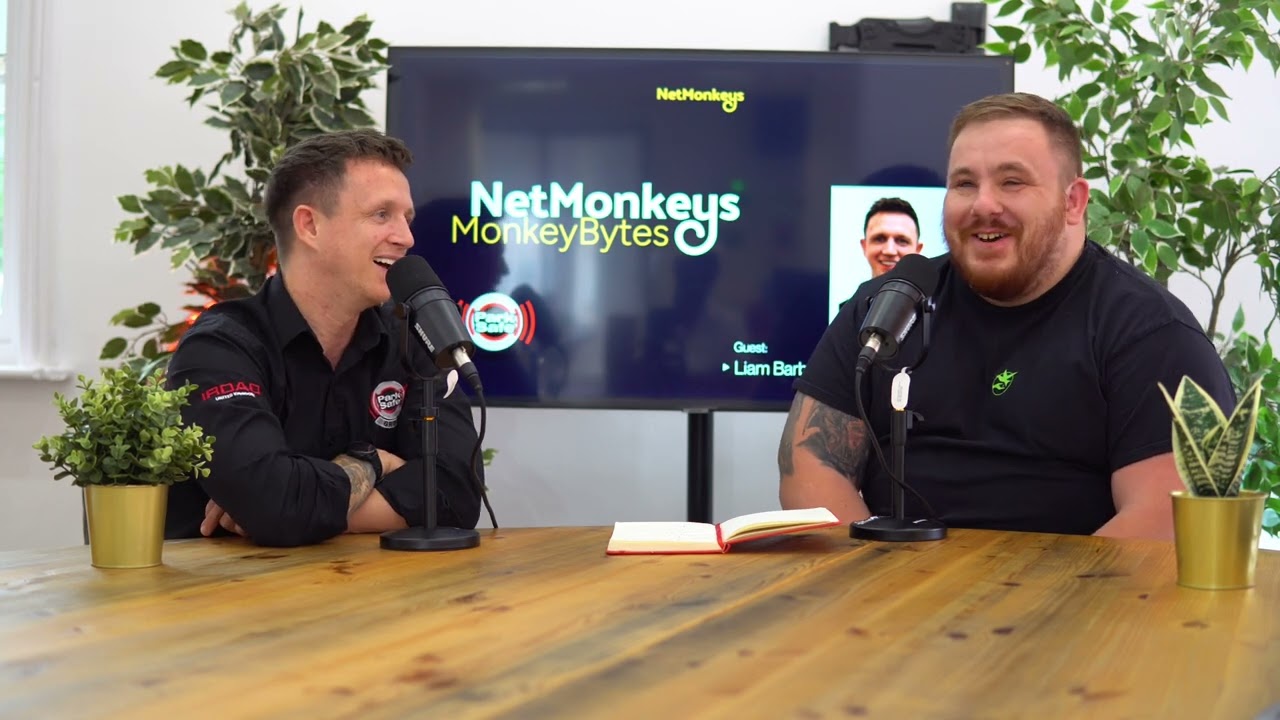
Inside ParkSafe: The Journey to Safer Fleets with Liam Barber
How ParkSafe transformed their IT and cybersecurity with NetMonkeys.

The Truth About IT Support — What Really Happens Behind the Scenes
Our engineers explain what a well-run managed IT service looks like.

Scaling with IT Support — A Conversation with Sam Neal, MD of Orchard Safety
How the right IT partner changed how Orchard Safety operates and scales.
Ready for Microsoft Copilot consultancy you can trust?
Book a free, no-obligation Copilot consultation. We will review your readiness, show you where Copilot will and will not pay back, and give you a clear, fixed-price route to a safe rollout — wherever you are in the UK.

