
SharePoint Document Management System for Hospices
Help staff and volunteers find the current policy, follow the right procedure and know who owns each document. NetMonkeys designs SharePoint document management around the operational needs of your hospice, from controlled policy libraries to departmental resources and approval workflows.
Replace scattered shared folders, emailed attachments and uncertain review dates with a clearly organised environment. We plan the structure, permissions, migration and handover with your IT, operational and information governance leads.
- Controlled policy publishing
- Role-based access planning
- Review reminders and approvals
- Training for document owners
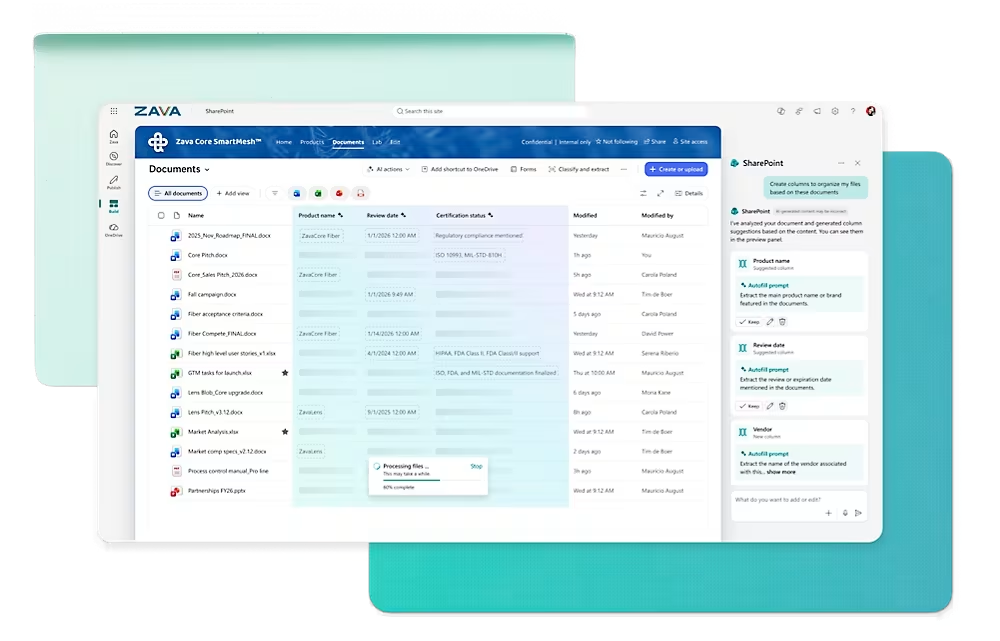
Does your hospice know which version staff are using?
A policy is updated, but an older copy remains in a departmental folder. A volunteer receives a document by email, while their supervisor uses a different version. A review date passes because the document owner has changed roles. These are practical document management problems that a new folder structure alone will not resolve.
Outdated copies remain in circulation
Give approved documents an agreed publishing location and direct people to that location. Decide what happens to previous versions, downloaded copies and printed material so the digital process reflects the way staff actually work.
Nobody owns the next review
Assign a document owner and review date, with a route for overdue items. Make responsibility visible to the people who maintain the library rather than relying on an individual’s calendar reminder.
Access does not match responsibilities
Separate broadly available staff guidance from restricted departmental information. Agree which employees, volunteers and external collaborators should be readers, contributors or approvers before configuring the environment.
We start with the situations your people encounter. Which policy is difficult to locate? Which approval takes too long? Which content needs a clearer owner? Those examples become the basis for a scoped project and realistic acceptance checks.
A document management system for hospice operations
A SharePoint document management system for a hospice can provide a shared home for approved policies, procedures, operational guidance and business documents. Its value comes from the structure and working rules behind the files: ownership, access, approval, review and controlled publication.
We build around your existing Microsoft 365 environment where appropriate, checking licensing and administration arrangements before proposing features. Your document owners help define categories, review cycles and publishing responsibilities. Our specialists translate those decisions into sites, libraries, views and workflows.
For the wider platform offering, explore our Microsoft SharePoint services. This hospice-focused service applies that capability to the information needs of care teams, operations, HR, finance, fundraising and volunteer coordination.
Keep clinical systems authoritative
The starting scope here is operational document management. SharePoint is not being proposed as a replacement for your electronic patient record, medication system or specialist care application. Any proposal involving identifiable patient information requires separate governance, security and suitability assessment before implementation.
What your hospice SharePoint document system can include
Each implementation is scoped around your requirements. The following capabilities can form part of a project; advanced controls, automation and integrations depend on the agreed design, licensing and technical environment.
A controlled policy library
Store approved policies in a defined location with agreed names, categories and ownership. Staff can use filtered views to find the information relevant to their role without opening every departmental folder.
Version history and publication rules
Configure versioning and approval arrangements appropriate to the library. Decide who can see drafts and who can publish a document. Test that ordinary readers reach the intended approved material rather than assuming the default settings match your policy.
Review dates and owner registers
Record ownership, document status and review dates as structured information. Create views for upcoming and overdue reviews. Where automation is included, agree reminders and escalation steps with the people responsible for maintaining the documents.
Departmental access boundaries
Plan separate working areas for teams such as HR, finance and governance. Use agreed groups and site structures where suitable, with access tests for representative roles and documented responsibilities for future changes.
Policy review and approval workflows
Route a proposed change to the people authorised to review and approve it. Define correction requests, absence cover and failed workflow handling so the process works beyond a straightforward demonstration.
Staff and volunteer resource pages
Provide useful entry points to relevant guidance, contacts and resources. Confirm how volunteers are licensed or authenticated and what they may access; volunteer status alone should not grant broad visibility of internal documents.
Document search and useful metadata
Use meaningful titles and a small set of helpful properties, such as department, document type, owner and review date. The aim is faster retrieval and clearer maintenance, without creating an unnecessary data entry task for every upload.
Handover and administration guidance
Train the people who publish and maintain content, and provide the agreed configuration information to your administrators. Clarify which routine changes your team handles and which technical requests need additional specialist input.
A policy lifecycle your team can explain
Consider an infection prevention policy being revised by an authorised owner. The system needs to distinguish a working draft from the approved document employees should consult. The same principle applies to operational procedures, volunteer guidance and finance policies; the approval route is set by your hospice.
1. Prepare the draft
The document owner creates or updates the working document in the agreed location. The library captures the information needed to identify its purpose, owner and status.
2. Review the proposed change
Named reviewers check the content. If changes are required, the process returns it to the owner with a clear next action rather than silently treating submission as approval.
3. Approve and publish
The authorised approver confirms publication. Permissions, versioning and workflow behaviour are configured and tested so readers see the appropriate published material.
4. Maintain access and awareness
Staff reach the document through the policy hub, relevant page or agreed Teams link. If acknowledgement is required, that is a separately specified workflow with reporting and exception handling.
5. Review, replace or retire
The owner receives the agreed review prompt. When content is replaced or withdrawn, your governance process determines archiving and retention, including what happens to links and previous versions.
Version history is useful for tracing changes, but it is not the same as recording that an employee has read and understood a policy. If you need acknowledgement, training completion or an electronic signature, we establish the requirement and assess an appropriate solution rather than implying that a file view proves understanding.
Support the teams behind your hospice services
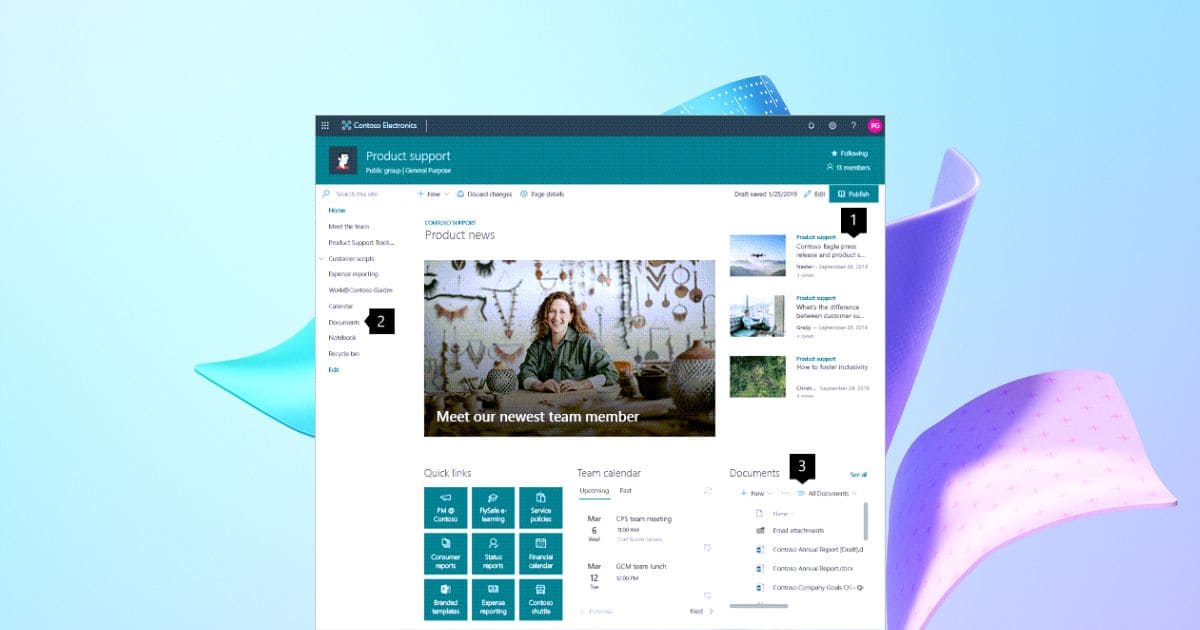
Your hospice may combine inpatient services, community teams, offices, fundraising activities, shops and volunteer groups. A single unrestricted library is unlikely to serve all of them well. We agree which information should be shared widely and which belongs in a controlled working area.
The aim is a coherent staff experience with appropriate boundaries behind it. People should be able to locate a policy through a familiar route without gaining access to unrelated personnel, financial or governance records.
Care and quality teams
Approved guidance, operational procedures, review registers and resources, with content decisions remaining with authorised clinical and quality owners.
HR and volunteer coordination
Onboarding resources and staff guidance, separated from restricted employment or volunteer records according to the agreed access model.
Finance and procurement
Approved forms, purchasing guidance and supporting documents. Where a transaction belongs in a finance system, the document process should respect that system’s role.
Fundraising and retail
Working resources, approved templates and operating guidance. Donor and supporter systems remain authoritative unless a separate integration or migration is assessed.
Trustees and leadership
Controlled meeting resources and governance papers, with access and retention decisions made by the designated owners.
Facilities and operations
Procedures, supplier resources and maintenance documentation organised by the way teams retrieve and update them.
Permissions, retention and information governance
Document management needs decisions from your hospice as well as technical configuration. We work with the appropriate information governance, IT and operational owners to identify the content in scope, the access requirements and the responsibilities for maintaining controls.
Control who can read, edit and share
We plan groups and site boundaries around agreed roles, review relevant sharing settings and test access using representative accounts. Sensitive content should not rely on a page being hard to find. Audience targeting and navigation choices are not substitutes for permissions.
Agree retention by document category
Your authorised owners determine retention and disposal requirements. We assess how those decisions can be implemented, including whether Microsoft Purview features or additional licensing are needed. There is no single retention period suitable for every hospice document.
Clarify the scope of assurance
Where the Data Security and Protection Toolkit is relevant to your organisation, the document environment can support agreed evidence management and operational controls. A SharePoint implementation does not by itself complete an assessment, establish compliance or guarantee a regulatory outcome. See the official Data Security and Protection Toolkit for current guidance.
Confirm recovery and administration
We discuss administration, recovery expectations and support ownership alongside the build. Version history, retention and backup serve different purposes. Your proposal should explain which controls are included and how recovery responsibilities are allocated.
For technical background on change tracking, Microsoft explains SharePoint version history. We assess the configuration needed for your document lifecycle rather than assuming default settings meet your requirements.
What a hospice policy register could look like
A simple register helps owners understand what needs attention. The following is an illustrative structure, not a hospice client’s data. We agree which fields are genuinely useful before adding them to your libraries.
| Document | Owner role | Status | Review action | Reader group |
|---|---|---|---|---|
| Volunteer induction guide | Volunteer coordinator | Approved | Review on agreed cycle | Authorised volunteers and staff |
| Purchasing procedure | Finance owner | Draft update | Awaiting review | Draft reviewers only |
| Staff expenses policy | HR or finance owner | Approved | Owner review scheduled | Authorised staff |
| Facilities checklist | Operations owner | Under review | Resolve reviewer comments | Relevant operational team |
Useful views might show approved policies for employees, overdue reviews for governance leads and documents awaiting a decision for approvers. Each view must sit within an appropriate permissions model; hiding a column or filtering a view does not secure the underlying content.
Migrating hospice documents into SharePoint
A migration should improve the destination, not recreate every historical folder and access exception. We begin by defining the source locations and asking owners to distinguish current content, archived material and documents needing review. Deletion and retention decisions remain with your authorised team.
Assess and map
Review the agreed sources, identify potential migration issues and propose sites and libraries. Confirm where sensitive records must remain and which material should not enter the new operational hub.
Prepare a pilot
Select representative content and test its destination, properties and access. Ask users to find a document, review a draft and complete a normal task before committing to the wider move.
Once the approach is agreed, we sequence the transfer around your operational needs. The plan identifies cutover arrangements, how changes during migration are handled and who confirms that the destination is usable. We do not assume a transfer completion message is the same as business acceptance.
The source also needs a clear future. We agree whether it becomes read only, remains available for a defined period or is retired under your approved process. Staff communications explain where to work from launch onward, reducing the chance of two competing versions of the same library.
Our guide to replacing shared network drives and SharePoint Migration Tool guide explain some of the preparation questions to bring to your project discussion.
How NetMonkeys delivers your hospice document management project
Discovery and requirements
Meet the sponsor, IT team and relevant document owners. Agree the main problems, content boundaries and acceptance criteria. Identify governance decisions that must be made before technical work proceeds.
Design and approval
Propose the site structure, libraries, metadata, access and workflows. Review the approach with your stakeholders and confirm dependencies such as licensing, content preparation and third party systems.
Configuration and testing
Build the agreed environment, run the pilot and check realistic tasks. Test drafts, approvals, access and failed workflow routes where they form part of the scope.
Launch and handover
Deliver the agreed migration, user guidance and owner training. Confirm support responsibilities, document outstanding issues and record separately scoped enhancements for later consideration.
We work alongside your internal IT team or existing provider. Your hospice retains the decisions about approved content, authorised access and governance requirements; our role is to implement the agreed design and explain the configuration your team will maintain.
A practical scope for smaller hospice teams
You do not need to reorganise every department at once. An initial project might focus on the approved policy library, the owner register and one review workflow. That creates a manageable foundation and gives your team experience before a wider rollout.
We help separate the essential first release from additional features. A clear home for approved guidance may be more useful initially than a large intranet with unfinished pages. The right scope considers who will prepare content and who will keep it current after launch.
Costs depend on the number of libraries, the condition of source content, the permissions model, automation and training. We assess your existing Microsoft 365 licences and identify any additional requirements. Eligible charity licensing can be discussed, but entitlement, product availability and pricing must be checked for your organisation.
Your quote should distinguish implementation from subscriptions, migration tooling and ongoing support. We also document assumptions about stakeholder availability and content preparation, so your team can judge the actual commitment rather than comparing headline prices alone.
Hospice SharePoint document management FAQs
Can SharePoint be used as a document management system for a hospice?
Yes, it can be configured for operational documents such as policies, procedures, governance resources and staff guidance. The project needs an agreed structure, permissions, ownership and lifecycle. The suitability of any sensitive content must be assessed before it is included.
Does this replace our electronic patient record system?
No. This service starts with operational document management. Your specialist clinical systems remain authoritative for the records and processes they support. A requirement involving patient information needs separate suitability, security and information governance assessment.
Can staff see approved policies without editing them?
We can design reader, contributor and approver roles around your publishing process. The implementation needs testing so intended readers reach the correct published material while draft access and editing remain limited to authorised people.
Can volunteers access the documents they need?
Potentially, with appropriate identity, licensing and permissions arrangements. We agree what each volunteer group needs and how access is managed when roles change. Volunteer access is planned separately from broad employee access.
Can review reminders be automated?
Review reminders and escalation steps can be scoped using appropriate Microsoft 365 and Power Platform capabilities. We agree the owner, review rules, absence cover and failure handling, and check the licensing required for the proposed workflow.
Does opening a document prove a member of staff has read it?
No. A document view is not proof that someone read or understood the content. If acknowledgement, training completion or electronic signature is required, we specify that process separately and assess the evidence it needs to capture.
Will SharePoint make our hospice compliant?
No platform alone establishes compliance. SharePoint can support agreed controls and evidence management, while your hospice remains responsible for its governance requirements and assessments. We configure the technical work around decisions authorised by the appropriate owners.
Can you migrate policies from our shared drive?
We can assess source content, propose a destination and deliver an agreed migration. Owners confirm what is current, retained or excluded. A pilot and acceptance checks help validate the approach before wider rollout.
How are older policy versions handled?
We agree versioning and publishing behaviour for the libraries involved. Your owners decide review, withdrawal and retention requirements. The design should also address old links and the limitations of downloaded or printed copies.
Do we need additional Microsoft licences?
That depends on your existing licences and the features requested. Advanced governance, automation, reporting or integrations may introduce requirements. We review licensing during scoping and distinguish those costs from implementation.
Can we start with one policy library?
Yes. A contained first release can establish the publishing process, ownership and review register before expansion. The scope should include enough training and handover for your team to maintain that initial library.
Can you work with our existing IT provider?
Yes. We agree responsibilities for access, configuration, migration and support with your team and existing provider. Your administrators remain involved in the decisions that affect the environment they will manage.
How much will implementation cost?
The quote depends on content volume, source condition, library structure, access requirements, workflows and training. We assess the brief before pricing and explain assumptions, licence dependencies and any separately scoped support.
How long does a hospice document project take?
Timing depends on scope and stakeholder availability as well as technical work. Content review and governance decisions can be important dependencies. We propose milestones after assessment and identify what your team must prepare or approve.
What do you need for an initial consultation?
Bring examples of the documents staff struggle to find, your current storage locations, relevant systems and the people who own policies. A summary of the intended users and any deadlines helps us discuss a sensible starting scope.
SharePoint guides for your project team
Use these guides to prepare questions, brief internal stakeholders and understand the decisions behind your project. When you are ready to discuss your own environment, our consultants can help turn the requirements into an agreed scope.
Replacing shared network drives
Plan the move from a file server to structured SharePoint libraries.
Read guide →Guide 02Control access to sensitive files
Understand the permissions questions to resolve before wider sharing.
Read guide →Guide 03Build a company intranet
Prepare the content, navigation and ownership behind a useful intranet.
Read guide →Guide 04What is SharePoint Lists?
Explore structured records for tracking business information and activity.
Read guide →Guide 05SharePoint for project management
Bring project documents, tasks and working information into focus.
Read guide →Guide 06How to use SharePoint
Practical guidance for employees working with shared business content.
Read guide →Guide 07SharePoint Migration Tool guide
Understand the tooling and preparation behind a planned migration.
Read guide →Guide 0810 SharePoint intranet tips
Improve the resources and working habits behind employee adoption.
Read guide →Guide 09SharePoint intranet examples
Explore ideas for homepage layouts, content and department resources.
Read guide →Guide 10SharePoint managed services
Consider where external help fits your ongoing administration needs.
Read guide →Build a more manageable document system for your hospice
Tell us where staff struggle to find the right policy, which reviews get missed and who needs access to your operational documents. We will discuss the requirements and help identify a practical first step.
Book a free initial consultation with NetMonkeys. The conversation helps establish the brief; any audit, design or implementation work is scoped separately before you commit.
Discuss your hospice SharePoint project
