
M&A IT Due Diligence Checklist: Merging Networks Safely
M&A IT due diligence checklist for acquirers: cyber risk, licensing, data protection, key-person risk and a Day 1, 30 and 100 post-merger IT plan.
The quick answer
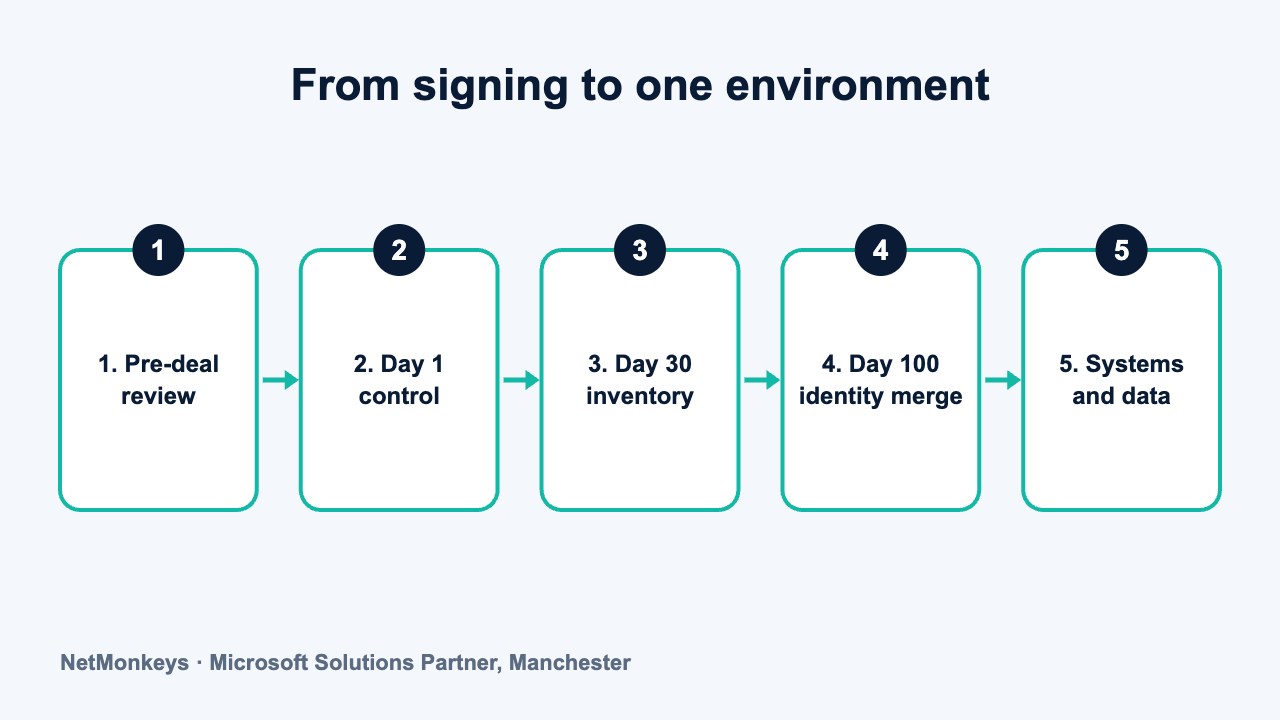
M&A IT due diligence is a pre-deal review of a target's cyber security, licences, data protection, systems and people, so that you can price risk and plan integration. Focus first on multi-factor authentication, tested backups, administrator access, licence terms and key-person dependency. After completion, take control on Day 1, build an inventory by Day 30 and consolidate identity, email and security tooling by Day 100.
Who this is for: Managing Directors, private equity and investment teams
Key takeaways
- You inherit the target's weaknesses as well as its assets once networks and identities are joined.
- Check licence terms for change of control and entity-bound clauses, and take legal advice before assuming rights transfer.
- Shadow IT, unsupported systems and a single person holding all the knowledge are common and manageable if found early.
- On Day 1, secure administrator access, enforce MFA and confirm backups. Migrate only after you have an inventory.
- Consolidate identity and Microsoft 365 first, then network, security tooling and line-of-business systems in staged waves.
What is M&A IT due diligence and why does it matter?
M&A IT due diligence is the structured review of a target company's systems, security, data, licences, suppliers and people before a deal completes. Its purpose is to find out what you are buying, what it will cost to bring up to your standard, and what could go wrong on Day 1. It sits alongside financial, legal and commercial diligence and is often the one that gets the least time.
The reason it matters is simple. When you acquire a company you also acquire its IT estate, including every weakness, undocumented workaround and unpaid licence obligation. A compromised mailbox, an unsupported server or a missing backup does not stay inside the target. Once networks and identities are joined, the problem becomes yours.
This guide is written for Managing Directors, private equity operating partners and investment teams who need a practical, high-level view rather than a technical audit manual. It covers the risks to look for, a pre-deal checklist, the questions to put to the target's IT provider, and a Day 1, Day 30 and Day 100 integration plan. It is general guidance only and does not replace legal, tax or regulatory advice.
A sensible rule of thumb: the smaller and faster the deal, the more the IT review should focus on a short list of high-impact questions. A full technical assessment is rarely possible before exchange, so the aim is to price risk, not to eliminate it.
↑ Back to contentsWhich IT risks do acquirers inherit?
Most post-deal IT problems fall into a handful of categories. They are rarely exotic. They are usually the ordinary weaknesses of a growing business that never had the time or budget to tidy up.
- Unknown cyber vulnerabilities. The target may already be compromised without knowing it. Unpatched systems, weak or shared passwords, missing multi-factor authentication and flat networks are common in businesses that have grown organically.
- Licence gaps and non-transferable software. Some licences are tied to the legal entity, the named user or the original purchaser. A change of control can trigger re-licensing, additional fees or a breach of terms.
- Data protection exposure. Personal data may be held in places nobody has mapped, shared with suppliers without proper agreements, or retained far longer than needed.
- Shadow IT. Teams often adopt their own file-sharing, messaging, CRM or automation tools. Company data then sits in accounts the business does not control.
- Unsupported or end-of-life systems. Old servers, operating systems and line-of-business applications may no longer receive security updates, yet still run something important.
- Key-person dependency. One engineer, one finance system administrator or one external contractor may hold the only working knowledge of how things run.
- Contract lock-in. Hosting, telecoms and managed service contracts can carry long minimum terms or exit fees that affect your integration timetable.
None of these is necessarily a reason to walk away. Each is a reason to adjust price, structure protections in the deal documents or plan integration spend. Your legal advisers will decide how findings are reflected in warranties and indemnities.
↑ Back to contentsWhat should a pre-deal IT due diligence checklist cover?
The table below is a working checklist. Use it to structure requests to the target and to score what comes back. Treat any area where the target cannot answer, or answers vaguely, as a risk in its own right.
| Area | Questions to ask | Red flags |
|---|---|---|
| Cyber security posture | Is multi-factor authentication enforced for email and remote access? When was the last security assessment or penetration test? Is endpoint detection deployed and monitored? | No MFA on email. No assessment ever carried out. Antivirus only, with no central monitoring. |
| Incident history | Has the business had a breach, ransomware event or fraud attempt in recent years? Was it reported where required? What changed afterwards? | Incidents unrecorded or described informally. No post-incident review. Insurer or regulator never informed. |
| Licensing and software | Is there a full licence register? Which licences are tied to the entity or named users? Are any on trial, shared or resold terms? | No register. Licences held on personal accounts. Software installed in excess of purchased seats. |
| Data protection | Where is personal data held? Which suppliers process it? Are there data processing agreements and a record of processing? | No data map. Unknown suppliers holding customer data. No named person responsible for data protection. |
| Infrastructure and hardware | What is the age and support status of servers, network equipment and laptops? What is in the cloud and what is on premises? | End-of-life servers or firewalls. Hardware not covered by any support. Undocumented network. |
| Identity and access | How are joiners, movers and leavers handled? Who has administrator rights? Are shared accounts in use? | Former staff still active. Many global administrators. Shared logins for core systems. |
| Backup and recovery | What is backed up, how often, and where is it stored? When was a restore last tested? | Backups never tested. Backups stored on the same network as live data. No recovery time objective. |
| Shadow IT and SaaS | Which cloud applications are in use? Who pays for them? Which ones hold customer or financial data? | Applications paid for on personal cards. No central list. Data exported to personal storage. |
| Suppliers and contracts | Who provides IT support, hosting, telecoms and line-of-business software? What are the terms, renewal dates and exit costs? | Auto-renewing multi-year terms. No documented service levels. Supplier relationship held by one individual. |
| People and knowledge | Who understands each critical system? Is there documentation? What happens if they leave? | One person holds all passwords. No runbooks. Key contractor not under any formal agreement. |
| Regulatory and customer commitments | Does the target hold Cyber Essentials, ISO 27001 or similar? Are customer security obligations written into contracts? | Certification lapsed or scope narrower than claimed. Contractual security duties nobody has tracked. |
For many deals, the first pass is a questionnaire plus a short call with whoever runs IT, supported by a document request. If the deal is large or the target handles sensitive data, a targeted technical review is worth commissioning. A cyber security audit gives you an evidence-based view rather than a self-assessment.
↑ Back to contentsHow do you assess inherited cyber vulnerabilities before completion?
You cannot fix what you cannot see, and in a competitive process the target will usually restrict access to systems. The practical approach is to combine documents, interviews and, where permitted, light-touch technical evidence.
Start with evidence the target already holds
Ask for the most recent security assessment, any penetration test summary, the patching policy, the backup report and the asset register. If a certification such as Cyber Essentials is claimed, ask to see the certificate and its scope. Our guide to Cyber Essentials and Cyber Essentials Plus explains why the level and scope matter when you read such a claim.
Look for signs of compromise, not only weakness
A weak control is a risk. A compromised environment is a present problem. Where the deal terms and confidentiality allow, ask about unusual mailbox rules, unexpected administrator accounts, failed sign-in patterns and any previous account takeovers. Our note on Microsoft 365 account compromise sets out the usual warning signs.
Check the asset picture
A business that cannot list its devices, servers and cloud services cannot protect them. Ask for an inventory and compare it with what staff actually use. Gaps between the two usually point to shadow IT. For context on why this matters, see cybersecurity asset management.
What we would check first
Three questions give a fast read on maturity. Is multi-factor authentication enforced for every user on email and remote access? Is there a tested backup that is separate from the live network? Who holds administrator rights, and can the target list them? If the answers are unclear, assume the wider estate is in a similar state.
Findings should feed your price discussion and integration budget. Cyber insurance is also worth raising early: an acquired entity can change your risk profile, so speak to your broker about whether the target needs to be declared and how cover will respond. Our overview of cyber insurance explains what insurers tend to ask, though you should check current requirements with your broker.
↑ Back to contentsWhat are the main software licensing pitfalls in an acquisition?
Licensing is where an apparently clean acquisition can produce an unexpected bill. Software vendors write their terms for their own protection, and those terms do not always anticipate a change of ownership, a merger of tenants or a reorganisation into a group structure.
This section is a prompt for questions, not legal advice. Licence terms differ by vendor, product and contract date. Check the actual wording of each agreement and take advice from a solicitor before relying on any assumption about transfer or assignment.
- Change of control clauses. Some agreements allow the vendor to renegotiate or terminate if ownership changes. Ask which key contracts contain such a clause.
- Entity-bound licences. A licence granted to one legal entity may not automatically cover a parent, sister company or combined business. Check who the named licensee is.
- Named-user and device limits. Licences assigned to individuals or machines can be hard to reuse when people leave or systems are replaced. Check the reassignment terms.
- Overlapping licences. After merging, you may be paying twice for similar tools, such as two productivity suites or two security products. Mapping overlap early avoids paying for both through the full term.
- Under-licensing. Growth, remote working and old installs can leave the target using more seats than it bought. Vendors may audit, and the shortfall becomes the acquirer's problem.
- Perpetual versus subscription. Older perpetual licences may not carry upgrade rights, and moving to subscription can change the cost base materially. Check what you are actually entitled to.
- Microsoft licensing. Plans, eligibility and transfer rules change over time. Check the current Microsoft terms and your agreement type before assuming licences can be moved between tenants.
- Third-party and open-source components. Bespoke systems may include components with their own terms. Ask who built the software and who owns the source code.
Common mistake
Assuming that because licences are paid up, they will continue to apply after completion. Ask for the licence register and the underlying agreements, then have counsel review those with change of control or assignment wording. A one-hour review before signing can prevent a costly renegotiation afterwards.
A licence register should list each product, the licensee, the quantity, the renewal date and where the proof of purchase sits. If the target cannot produce one, include the cost of building it in your integration plan.
↑ Back to contentsHow do data protection exposure, shadow IT and unsupported systems affect the deal?
Data protection exposure
Under UK data protection law, the target's historical handling of personal data can become your concern once you own the business. Ask where personal data is held, who processes it on the target's behalf, and whether suitable written agreements are in place. Ask whether there have been any personal data breaches and whether they were recorded and, where required, reported.
Data protection law is a matter for your legal advisers. From an IT viewpoint, the useful evidence is a data map, a list of suppliers that handle data, retention settings, and confirmation of who can access what. Our summary of UK cyber security requirements gives helpful background.
Shadow IT
Shadow IT is not a sign of bad intent. It usually appears because the official tools were too slow or too limited. The risk is that customer data, contracts or credentials live in accounts the business does not control, and these can disappear when an employee leaves.
Practical checks include reviewing company card and expense records for software subscriptions, asking each department what tools they use daily, and reviewing application sign-ins in the identity platform. Findings should be sorted into three groups: adopt and secure, replace, or stop.
Unsupported and end-of-life systems
Systems that no longer receive vendor security updates are a standing exposure. They are often kept because something important depends on them, such as a production controller, a finance package or a client portal. Ask for a list of systems past support, what they do, and what the replacement plan is.
Do not assume unsupported means unusable. Where a replacement cannot happen quickly, isolating the system on its own network segment, restricting access and monitoring it can reduce risk while a proper plan is built. Treat this as a temporary control with a deadline, not a permanent answer.
| Finding | Low concern | Medium concern | High concern |
|---|---|---|---|
| Unsupported systems | None in use | Present but isolated and planned for replacement | Present, exposed to the internet or business critical |
| Shadow IT | Documented and low data sensitivity | Several tools holding some business data | Customer or financial data in uncontrolled accounts |
| Licence position | Register complete and matches use | Gaps in records but low value | Probable shortfall or entity-bound licences on core systems |
| Data mapping | Data map and supplier agreements in place | Partial records | No map, unknown processors |
How serious is key-person dependency in an acquired IT team?
In small and mid-sized targets, the entire IT estate often rests on one person, or on an outside contractor who has been supporting the business for years. That person may hold the administrator passwords, understand the quirks of the line-of-business system, and know which backup job to rerun when it fails. If they leave around completion, the business can lose the ability to operate its own systems.
This risk is especially acute in owner-managed businesses, where the departing owner and the IT lead may both be leaving at the same time. Our guide to single IT manager key-person risk covers the pattern in more detail and is a useful read for the investment team.
- Identify the dependency early. Ask who can restore a server, reset a global administrator account and contact each key supplier. If the answer is always one name, that is your dependency.
- Secure knowledge before announcements. Document passwords, recovery keys, supplier contacts and system diagrams while goodwill is high.
- Agree retention terms where appropriate. Short-term retention or a handover period for critical individuals may be worth discussing with your legal and HR advisers.
- Bring in a second pair of hands. An external IT partner can shadow the incumbent during the notice period and build shared documentation.
- Check outside contractors. If a freelancer supports the business, confirm the contract terms, notice periods and who owns the documentation they produce.
Remember that the people matter beyond the technical risk. Treating the IT lead as a partner in integration, rather than an obstacle, usually produces better information and a smoother handover.
↑ Back to contentsWhat should you ask the target's IT provider?
If the target uses an external managed service provider, that provider holds much of what you need to know. They will also have a commercial interest in the outcome, so approach the conversation openly and with the target's written consent. Our guide on how to assess third-party IT supplier security risks offers a framework you can adapt.
- What is in scope? Ask for the current service schedule, the list of covered users and devices, and anything that is explicitly excluded.
- What are the service levels and how have they been met? Ask for the last six to twelve months of reports and any open escalations.
- What does the contract say about termination and transfer? Check notice periods, exit fees, and what help is provided to a successor provider.
- Who holds the administrator credentials and recovery information? The target should own these, not the provider. Confirm where they are stored.
- What is the current patching and backup status? Request the most recent reports, including the last tested restore.
- Which known risks have been raised with the target? Ask for any recommendations that were declined or deferred, including cost estimates.
- What third-party systems and licences do you manage on the target's behalf? Establish who the licensee is on each one.
- What would you need to support a merged environment? Their answer shows how much they know about the estate and whether they are a likely partner for the transition.
If you plan to change provider after completion, read our 90-day IT provider transition plan before you give notice, so that support is not interrupted during the change.
↑ Back to contentsWhich red flags should make you pause or reprice?
Not every weakness is a deal issue. These are the findings that usually justify a conversation about price, deal protections or a delayed completion timetable.
- No evidence of multi-factor authentication on email for a business that handles money, contracts or personal data.
- Backups that have never been restored, or backups that sit on the same network as live systems.
- A previous breach with no written record or no clear explanation of what changed afterwards.
- Many accounts with administrator rights, or administrator access held by former staff and contractors.
- Business-critical systems that are past vendor support with no plan for replacement.
- No licence register and signs that software has been copied or installed beyond purchased seats.
- Customer contracts requiring security standards that the target cannot evidence, such as certification that has lapsed.
- Reluctance to answer reasonable questions. Slow or evasive responses often reflect a lack of knowledge rather than concealment, but either way the risk sits with the buyer.
- One individual holding all the knowledge, with no documentation and no succession plan.
Practical tip
Rank findings by likely cost to fix and likely impact if ignored. A missing MFA policy is cheap to fix and expensive to ignore, so it belongs on the Day 1 list. A legacy ERP replacement is expensive to fix but may be tolerable for months if it is isolated. Present the investment committee with that ranking, not a raw list of issues.
What does a Day 1, Day 30 and Day 100 integration plan look like?
Integration works best when it is staged. Trying to merge everything on Day 1 creates risk and disruption. Doing nothing leaves both businesses exposed. The plan below is an illustrative framework. Adjust it for the size of the target, the sector, the regulatory position and how different the two environments are.
| Period | Priorities | Typical outputs |
|---|---|---|
| Before Day 1 | Agree a Day 1 scope with the target. Secure credentials and recovery keys. Confirm who has authority to approve changes. | Credential and supplier handover list. Day 1 communications. Confirmed escalation contacts. |
| Day 1 | Keep the business running. Take control of administrator accounts. Enforce multi-factor authentication on email and remote access. Confirm backups are running. Brief staff on phishing and payment fraud risks. | Controlled admin access. MFA enforced. Backup confirmation. Staff briefing issued. |
| Day 30 | Complete the asset, licence and data inventories. Close the most serious security gaps. Decide target state for identity, email and network. Review all supplier contracts for notice dates. | Estate inventory. Prioritised risk register. Target architecture decision. Supplier timetable. |
| Day 100 | Begin consolidation in planned waves: identity and email first, then collaboration, endpoints, network and security tooling. Retire duplicated licences and unsupported systems. Document the merged estate. | Single identity platform. Common email domain or agreed coexistence. Shared security tooling. Updated documentation. |
| Beyond Day 100 | Migrate line-of-business systems and data where the business case supports it. Review services, costs and resilience of the combined business. | ERP or data migration plan. Rationalised supplier list. Ongoing improvement plan. |
Notice that the earliest actions are control and visibility, not migration. Moving data into a combined tenant before you understand the security position simply imports problems. A IT consultancy engagement or a virtual CIO can own this plan if no one in your group has the capacity.
↑ Back to contentsHow do you plan a unified cloud and identity infrastructure after the deal?
The target state for most mid-market mergers is one identity platform, one collaboration environment, consistent security tooling and a network that both sites can use safely. The sequence below reduces risk by solving identity first, because identity underpins everything else.
Microsoft 365 tenant consolidation
If both businesses use Microsoft 365, you have two tenants, each with its own users, mailboxes, files, policies and licences. Consolidating them is achievable but needs planning. Decide whether one tenant absorbs the other or whether both continue temporarily with cross-tenant collaboration enabled. Our Microsoft 365 services cover this type of work, and the plan should include licence mapping, mailbox and file migration, Teams and SharePoint structure, and conditional access policies. Check the current Microsoft guidance on tenant-to-tenant migration tooling and licensing before you commit to a timetable.
Domain and email
Decide on the brand and domain strategy early. Options include keeping both domains, redirecting one to the other, or moving fully to a new common domain. Aliases can allow staff to receive mail on both addresses while you transition. Check SPF, DKIM and DMARC records on both domains, because mistakes during domain changes are a common cause of lost or rejected email.
Network and connectivity
Do not join two networks without understanding what is on each. Start with a controlled connection between sites, with firewall rules that limit traffic to what is needed, then simplify once the picture is clear. Where the target has hosting or data centre dependencies, a move to the cloud may be cleaner than extending the old network. Our Azure cloud services page explains the options for hosting workloads in a managed environment.
Security tooling
Aim for one set of endpoint protection, one logging and alerting approach and one vulnerability management process. Running two products in parallel for a short period is acceptable. Running them for years increases cost and creates gaps in coverage.
ERP and data migration
Where the two businesses run different finance, CRM or operational systems, decide whether they will converge. Many groups run both for a period while the business case is developed. If you do migrate, plan data cleansing, mapping, test migrations and a rollback position. Our data migration services and system integration services pages describe how these projects are normally structured.
Common mistake
Treating the technical merger as a single project with one go-live date. Staged waves, each with a rollback plan and clear business owner, are safer than a big-bang cutover, particularly for finance systems and customer-facing platforms.
How should you prioritise spend, and when should you not integrate?
Integration should serve the investment thesis. If the plan is to hold the target as a separate trading business for a limited period, full integration may waste money. If the plan is to combine operations and cut duplicated costs, integration speed directly affects value.
- Always do first: control of administrator access, MFA, backups, patching, endpoint protection, and a record of licences and suppliers. These are inexpensive compared to the cost of an incident.
- Do early if combining: identity, email and collaboration, because staff feel the benefit and the group gains one security baseline.
- Do later and selectively: ERP migration, bespoke application rewrites and datacentre exits, where the cost is higher and the business case needs proof.
- Consider leaving alone: stable, isolated systems that are performing well and will be retired on a known date.
When customer or regulatory obligations apply to the target, check what the contracts say about subcontractors, data location and security standards before changing anything. Our guide on how to demonstrate cyber security compliance to customers explains how to evidence your position as the group grows.
If you would like an independent view on a live or upcoming transaction, speak to the NetMonkeys team. We can help scope a focused review so that the findings reach you before the deal timetable closes.
↑ Back to contentsFrequently asked questions
What is M&A IT due diligence?
It is the review of a target company's technology, security, licences, data handling, suppliers and people before a deal completes. It helps the buyer price risk, plan integration and decide what protections to request in the contract. It complements, and does not replace, financial and legal diligence.
How long does IT due diligence take?
It depends on the size and complexity of the target and the access you are given. A questionnaire and interview round can be completed in days, while a technical assessment of systems usually needs longer. In fast processes, focus on a short list of high-impact questions and plan a deeper review for the first 30 days after completion.
Can software licences be transferred in an acquisition?
It depends on the agreement. Some licences are tied to a legal entity, a named user or the original purchaser, and some contain change of control terms. Check the wording of each key licence and take advice from a solicitor before assuming that rights will pass to you or to the combined group.
What are the biggest cyber risks when acquiring a company?
The most common are missing multi-factor authentication, untested backups, unpatched or unsupported systems, excessive administrator access and a previous compromise that nobody has detected. These can spread into your own environment once networks and identities are connected, so control and visibility should come first.
Should we merge Microsoft 365 tenants straight away?
Usually not on Day 1. Take control of administrator access and security settings first, then plan consolidation in stages. Cross-tenant collaboration can bridge the gap while you decide the target domain, licence mapping and migration approach.
Who should lead post-merger IT integration?
Someone with the authority to make decisions and the capacity to run a plan. In many mid-market groups that means an external IT consultancy or virtual CIO working with a named business owner, because internal IT teams are often stretched by the day-to-day workload.
Do we need to tell our cyber insurer about an acquisition?
Policies differ, so check your own policy wording and speak to your broker or insurer. Many insurers want to know about material changes in the business, and an acquired company can change your risk profile and the information on your proposal form.
About this guide and NetMonkeys
Written by Caleb Adoh, Growth Marketing Manager at NetMonkeys. NetMonkeys is a Manchester-based Microsoft Solutions Partner with offices in Manchester, Nottingham and London and field engineers across around 12 UK cities, providing managed IT support, cyber security and virtual CIO services. This guide gives general information for UK businesses. Contracts, insurance policies and certification schemes differ, so check your own documents and current requirements, and take legal, insurance or financial advice where it matters.
Want a second opinion on your IT?
Talk to NetMonkeys about your current set-up, your contract and what a sensible next step looks like for your business.
Explore managed IT support Contact the team
