

Power Automate Consultancy Services
Power Automate Consulting
Microsoft Power Automate consultants who map the process first, build the flows second, and hand over something your own team can maintain. Honest about when automation isn't the answer.
★★★★★
"NetMonkeys automated our entire PO approval and data routing workflow. Our finance team saved dozens of hours a week."
David Thorne
Head of Operations, UK Distribution Firm
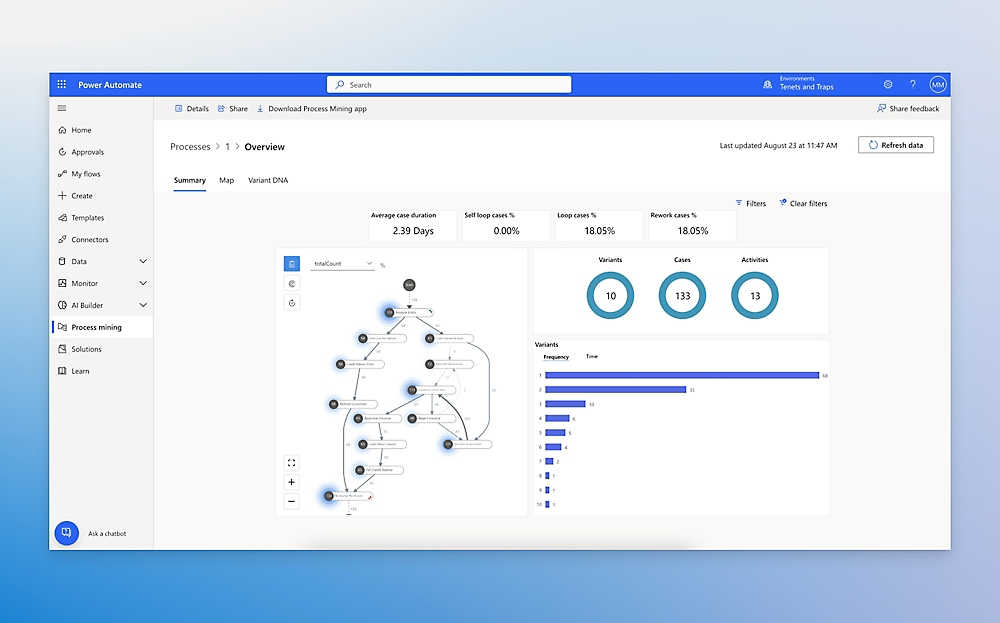
What is Microsoft Power Automate, and what does Power Automate do?
Quick Answer
Microsoft Power Automate is a low-code platform that connects the applications a business already uses and runs repeatable tasks automatically. You build flows — a trigger (a form is submitted, an email arrives, a date is reached) followed by actions (create a record, request an approval, copy a file, post a message in Teams) — without writing traditional code.
In day-to-day terms, what Power Automate does is remove the copy-and-paste work that sits between systems. An enquiry lands in a shared inbox and a record appears in your CRM. A purchase order is raised and the right manager gets an approval request on their phone. A new starter is added to HR and their accounts, folders and Teams channels are created without anyone raising five separate tickets.
It is easy to start and surprisingly hard to do well. Anyone with a Microsoft 365 account can build a simple flow in an afternoon, which is exactly why so many businesses end up with dozens of them, owned by individuals, undocumented, and quietly breaking when someone leaves. That gap between "it works on my account" and "it runs the business reliably" is where a Power Automate consultancy earns its fee.
How to use Power Automate: the three-step version
Pick one process that genuinely hurts
Choose a task someone repeats daily or weekly, with clear rules and clear inputs. Approvals and data hand-offs are the usual best starting points.
Build the trigger and actions in a cloud flow
Use the visual designer to define what starts the flow and what happens next, adding conditions for the exceptions. Copilot in Power Automate can draft a first version from a plain-English description, which still needs checking by a human.
Test with real data, then add error handling
Run it against messy, real-world inputs, not tidy examples. Decide what should happen when something fails, who gets told, and who owns the flow once it's live.
Microsoft maintains detailed documentation on the platform at Microsoft Learn, and it's worth bookmarking whichever route you take.
End-to-End Delivery
Our Power Automate Consulting Services
Structured support from initial process discovery to robust deployment, governance, and long-term maintenance.
Process Discovery & Mapping
We evaluate your workflows, identify manual bottlenecks, and map out efficient, automated processes before writing a single flow.
Custom Flow Development
We build robust automated cloud flows, instant approvals, scheduled tasks, and desktop automations tailored to your exact tech stack.
System & ERP Integration
We securely connect Microsoft 365, Teams, and Business Central to eliminate data silos and manual data entry across departments.
Governance & Error Handling
We implement enterprise-grade data loss prevention (DLP) policies, automated retries, and comprehensive error logging to keep workflows stable.
SharePoint Intranet Automation
Automate document approvals, metadata tagging, and folder generation directly within your SharePoint intranet environment.
Data & Reporting Automation
Feed live operational data straight into Power BI dashboards, or trigger automated alerts when crucial KPI thresholds are breached.
Azure & Cloud Workflows
Build resilient background processes that span cloud services, Azure environments, and legacy on-premise systems.
Power Apps Integration
Connect background automation directly to custom user interfaces using our Power Apps consulting expertise.
Stop copying data manually between systems.
Speak to a Microsoft consultant about building automations that actually survive staff turnover.
Book an Automation Meeting
Sector Expertise
Industries We Serve
Tailored Power Automate solutions built around the unique operational workflows, compliance requirements, and software stacks of your specific industry.
Legal & Law Firms
Automate client onboarding document collection, conflict-of-interest check routing, and secure SRA-compliant audit archiving.
Finance & Accountancy
Streamline invoice matching, FCA-aligned compliance reminders, and multi-departmental purchase order approvals.
Manufacturing & Engineering
Synchronize inventory updates between warehouse scanners, your ERP system, and dispatch notification queues.
Retail & E-Commerce
Automate customer enquiry routing, supplier restocking triggers, and multi-channel order exception alerts.
Healthcare & Clinics
Securely route patient referral forms, automate appointment follow-ups, and manage compliance-based staff certification renewals.
Transport & Logistics
Digitise paper-based driver delivery logs, automate vehicle maintenance alerts, and sync journey data with head office.
Construction & Property
Streamline site safety incident logging, automate contractor timesheet approvals, and manage project drawing distributions.
Charities & Non-Profits
Automate donor thank-you sequences, simplify volunteer onboarding paperwork, and compile automated grant funding reports.
Tangible Value
Benefits of Our Microsoft Power Automate Services
We don't just automate tasks; we engineer resilient workflows designed to give your organisation a measurable operational edge.
Eliminate Manual Bottlenecks
Instantly remove repetitive copy-and-paste data entry, allowing your skilled staff to focus on higher-value client and strategic work.
Drastically Reduce Error Rates
Automated data hand-offs between your CRM, ERP, and communication tools eliminate transcription mistakes and missed follow-ups.
Accelerate Approval Cycles
Move invoice sign-offs, purchase orders, and HR requests from days to minutes with automated mobile and Teams notifications.
Complete Audit Transparency
Every automated step creates a verified digital trail, ensuring absolute compliance during internal reviews and external audits.
Future-Proofed Governance
We build with proper environments, service accounts, and error handling so your automations outlast staff turnover.
Predictable ROI
By automating high-volume administrative tasks, your team gains back hundreds of hours every month with measurable financial savings.
The different types of Power Automate flows
"Flow" covers more ground than most people expect. Choosing the wrong type is one of the most common reasons an automation either doesn't work or costs more to run than it should.
Choosing the right flow type—automated, instant, scheduled, or desktop—ensures long-term scalability and efficiency.
| Flow type | What starts it | Typical use |
|---|---|---|
| Automated cloud flow | An event: a new email, a file added, a record changed | Routing enquiries, copying attachments to SharePoint, updating records across systems |
| Instant cloud flow | A person pressing a button, in Teams, on mobile or in an app | On-demand approvals, sending a standard document pack, logging a site visit |
| Scheduled cloud flow | A set time or interval | Nightly data syncs, weekly report distribution, reminder chases |
| Desktop flow | A cloud flow or a person, running on a PC or server | Automating older software that has no API, by driving the screen as a user would |
| Business process flow | A user progressing through defined stages in a Dataverse-based app | Guiding staff through sales stages, case handling or onboarding steps |
What a Power Automate consulting company and its consultants actually do
A good Power Automate consultant spends less time building flows than most people assume. The build is the quick part. The value is in deciding what to build, how to build it so it survives staff turnover, and when to talk you out of it.
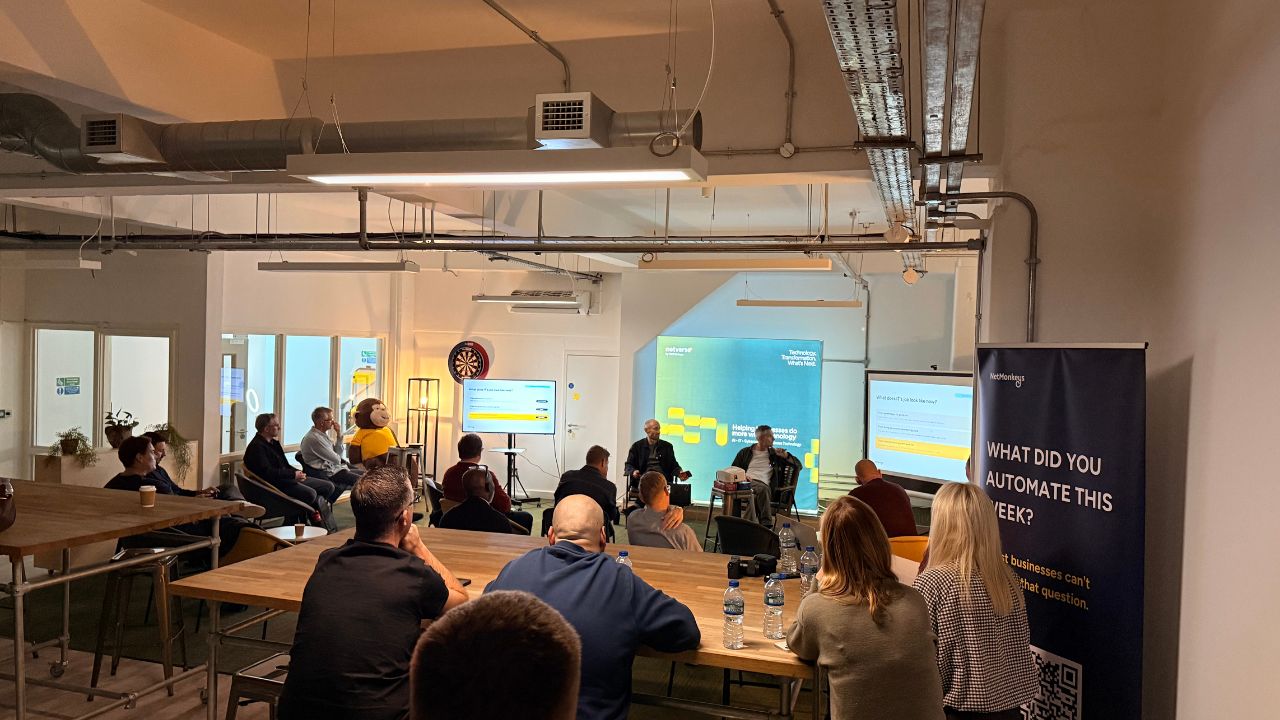
The real value of a consulting partner is mapping the operational exceptions before any flow is built.
Find the processes worth automating
Not every manual task deserves a flow. We rank candidates by volume, error cost and how stable the underlying rules are, because automating a process that changes every month just creates a different kind of maintenance.
Map the process as it really runs
The documented process and the real one rarely match. We sit with the people doing the work and capture the exceptions, workarounds and "oh, except when…" moments that break naive automations.
Choose the right tool for each job
Sometimes the answer is a cloud flow. Sometimes it's a Power Platform app, desktop automation for a legacy system, or leaving the process alone.
Build with governance from the first flow
Flows live in solutions, run under service accounts rather than personal ones, use sensible environments, and include error handling and alerts. This is invisible when it works and painful to retrofit.
Sort out licensing before it surprises you
Standard and premium connectors, per-user and per-flow plans, and Dataverse capacity all carry different costs. We work out what a design will actually cost to run before it's built.
Document, train and hand over
Your team receives clear documentation and a walkthrough, so the next change doesn't depend on the person who built the original. Ongoing support is available but never assumed.
In Practice
Power Automate use cases we build most often
These are the patterns that come up repeatedly across the businesses we work with, grouped by who feels the pain first.
Finance
Invoice and purchase order approvals
Route requests to the right approver by value or department, chase overdue approvals automatically, and keep a clean audit trail without anyone searching their inbox.
HR
Joiners, movers and leavers
Trigger account creation, equipment requests, folder access and induction tasks from a single HR record, then reverse the lot when someone leaves.
Sales & customer
Lead routing and follow-up
Capture enquiries from forms and email, assign them by territory or product, and nudge the owner when a quote has gone quiet.
Operations
Job sheets, stock alerts and supplier forms
Turn paper or spreadsheet processes into structured submissions that update the right systems and notify the right people.
IT
Access requests and ticket triage
Let staff request software or permissions through a form, get manager sign-off automatically, and create a ticket only once it's approved.
Compliance & admin
Document review and renewal reminders
Chase policy reviews, certificate renewals and contract dates before they lapse, with a record of who confirmed what and when.
If your finance system is Business Central, many of these connect directly to it — see our Business Central work — and where flows need to talk to systems that don't have ready-made connectors, our system integration team picks up the plumbing.
Have a process in mind? Let's map it.
Get a fixed-price quote and a clear timeline for your next automation project.
Book an Automation Meeting
How to Work With Us
Power Automate consulting services, scoped three ways
Whether you need a second opinion or a full build, you can start small and scale up. Every option is fixed-scope, quoted before work begins.
Automation Workshop
A focused session to find where automation will actually pay back, before you spend anything on building.
- Process discovery with the people doing the work
- Ranked shortlist of automation candidates
- Licensing and cost outline for each
- Written recommendations you can act on yourselves
Most Common
Build Sprint
Fixed-scope delivery of an agreed set of flows, built properly and handed over with documentation.
- Everything agreed in the workshop, built and tested
- Solutions, service accounts and error handling as standard
- Documentation and team walkthrough
- Defined warranty period after go-live
Managed Automation
Ongoing monitoring, change requests and governance for businesses running flows that matter.
- Monitoring and alerting on failed runs
- Change and enhancement hours each month
- Licence and connector review
- Named Power Automate specialist
Pricing depends on the number of processes, the systems they touch and the licensing involved. We quote a fixed figure after the workshop, not a day rate that grows.
When Power Automate isn't the right answer
Part of being a trustworthy Power Automate partner is knowing the platform's limits. Here are the situations where we'd steer you elsewhere.
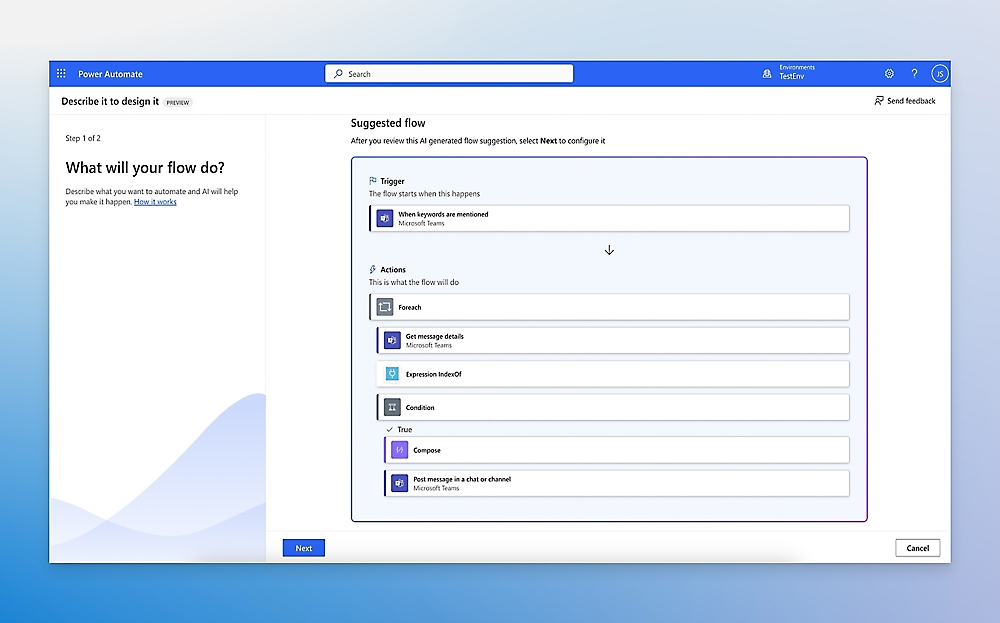
An honest technical assessment ensures you only automate processes where low-code workflows deliver genuine ROI.
| If this describes your situation | A better fit is usually |
|---|---|
| Several systems need to exchange large volumes of data in real time | A proper integration approach, rather than a chain of flows that will hit throttling limits |
| Staff need a tailored screen to enter and review data | A Power Apps front end, with flows running behind it |
| The software has no API and no connector | Desktop flows or wider robotic process automation, used sparingly because they're more fragile |
| The process changes every few weeks | Stabilise the process first; automating a moving target costs more than the manual work |
| A handful of staff, a handful of tasks, ten minutes a week | Leave it alone. The automation won't pay for the time spent building it |
The five problems we're usually called in to fix
Flows owned by one personWhen the author leaves or changes role, connections tied to their account stop working, often silently. We rebuild these under service accounts and inside solutions so ownership survives staff turnover.
Licensing discovered after the factA flow built with a premium connector can quietly require a licence for every user who touches it. We check this at design stage, when changing course is cheap.
No error handlingA flow that fails with nobody watching is worse than no flow, because people assume the work was done. We build in alerts, retries and clear failure paths.
No data policies or environmentsWithout guardrails, a well-meaning employee can connect business data to a consumer app. Data loss prevention policies and proper environments prevent that.
Sprawl nobody can mapAfter a year of enthusiastic building, many tenants hold hundreds of undocumented flows. We inventory them, retire what's dead and document what matters.
Why NetMonkeys
Why businesses choose us as their Microsoft Power Automate consultancy
A Microsoft partner, not a freelancer on a tight deadline
Five Microsoft Solutions Partner designations, including Business Applications, independently audited each year rather than self-declared.
The adjacent systems under one roof
The same team works across Power Platform, SharePoint, Microsoft 365 and Business Central, so flows are designed with the whole estate in mind.
Process first, tool second
We'll tell you if a process isn't ready to automate. That honesty costs us the occasional build and earns us the clients who stay.
Built to be handed over
Documentation, naming conventions and a walkthrough as standard, so you're never dependent on us for a simple change.
UK-based consultants
UK working hours, UK data handling expectations and people you can speak to directly, from Manchester, Nottingham and London.
Fixed scope, quoted up front
You see the cost before we start, with licensing implications spelled out rather than discovered in month three.
How a Power Automate consulting engagement runs
01
A short call about the problem, not the product
We ask what's slow, error-prone or annoying, and who feels it. No slides, no demo of features you didn't ask about.
02
The workshop
We map the candidate processes with the people who run them and give you a ranked, costed shortlist.
03
Fixed-scope build
Flows are built in a test environment, tried against real data, then promoted to production with monitoring switched on.
04
Handover and review
Documentation, training and a review a few weeks after go-live to catch the edge cases real use always turns up.
Replacing an approvals inbox with a flow people actually trust
The Starting Point
Purchase requests arrived as emails and spreadsheet rows. Approvers lost track of what they'd seen, finance chased signatures by phone, and nobody could say with confidence what had been approved at month end.
What We Built
A single request form feeding a flow that routes by value and department, sends the approval to the manager's phone, escalates if it sits, and writes the outcome to a SharePoint list that finance reports from.
What Changed
Requests stopped getting lost, finance stopped chasing, and the audit trail became something you could actually show a reviewer. The flow runs under a service account, so it doesn't depend on any one person's login.
Hiring Power Automate specialists vs building it yourself
| Factor | Specialist consultancy | Build it in-house |
|---|---|---|
| Speed to first working flow | Fast, with a defined plan | Fast for simple flows, slower for anything with exceptions |
| Governance and error handling | Built in by default | Often added later, if at all |
| Licensing awareness | Checked at design stage | Frequently discovered after launch |
| Knowledge staying in the business | Documented and handed over | Held by the person who built it |
| Best suited to | Processes that matter to the business | Small personal-productivity flows |
The track record behind the advice
20+
Years supporting UK businesses
5×
Microsoft Solutions Partner designations
UK
Based consultants, working UK hours
Free
Initial discovery call, no obligation
Power Automate consulting: the questions we get asked most
What does a Power Automate consultant actually do?
A Power Automate consultant identifies which processes are worth automating, designs and builds the flows, sets up governance and licensing correctly, and hands the result over with documentation. The build is often the smaller part of the work; the judgement about what to build, and how to make it last, is the larger part.
Is Power Automate included in Microsoft 365?
Many Microsoft 365 business licences include Power Automate for standard connectors. Premium connectors, desktop automation at scale and Dataverse usage generally need separate licensing, so it's worth checking what a design requires before building it.
What's the difference between Power Automate and Power Apps?
Power Automate runs processes in the background, triggered by events or schedules. Power Apps builds the screens people interact with. They're often used together, with an app collecting input and a flow handling what happens next.
Can you fix flows that someone else built?
Yes. We regularly inherit undocumented flows, often tied to a former employee's account. We inventory them, move the important ones into solutions under service accounts, and retire what's no longer needed.
Do you work with Business Central and SharePoint?
Yes. Many of our automations connect Business Central, SharePoint and Microsoft 365, and the same team handles the surrounding systems, which keeps the design coherent.
How long does a Power Automate project take?
A workshop is usually a short, focused engagement. A build sprint depends on the number of flows and systems involved, and we agree the timeline in the fixed-scope quote before anything starts.
Do you offer Power Automate consulting in the UK outside London and Manchester?
Yes. Power Automate consulting in the UK is delivered largely remotely, so location rarely matters. We're based in Manchester, Nottingham and London and work with businesses nationwide.
How much does Power Automate consulting cost?
It depends on the number of processes, the systems involved and the licensing required. We quote a fixed figure after the initial workshop, so you know the cost before committing to a build.
Related Power Platform Work
Where Power Automate fits in the wider Microsoft stack
Power Apps
Custom screens and forms that feed your flows.
Explore Power Apps →Power BI
Reporting built on the data your automations produce.
Explore Power BI →SharePoint
Document libraries and lists that flows read from and write to.
Explore SharePoint →Business Central
ERP workflows and approvals connected to your finance data.
Explore Business Central →Find out which of your processes are worth automating.
A free discovery call, a straight answer, and a fixed quote only if it makes sense to go ahead.
Book an Automation MeetingFixed-scope pricing • Microsoft Solutions Partner • UK-based consultants
