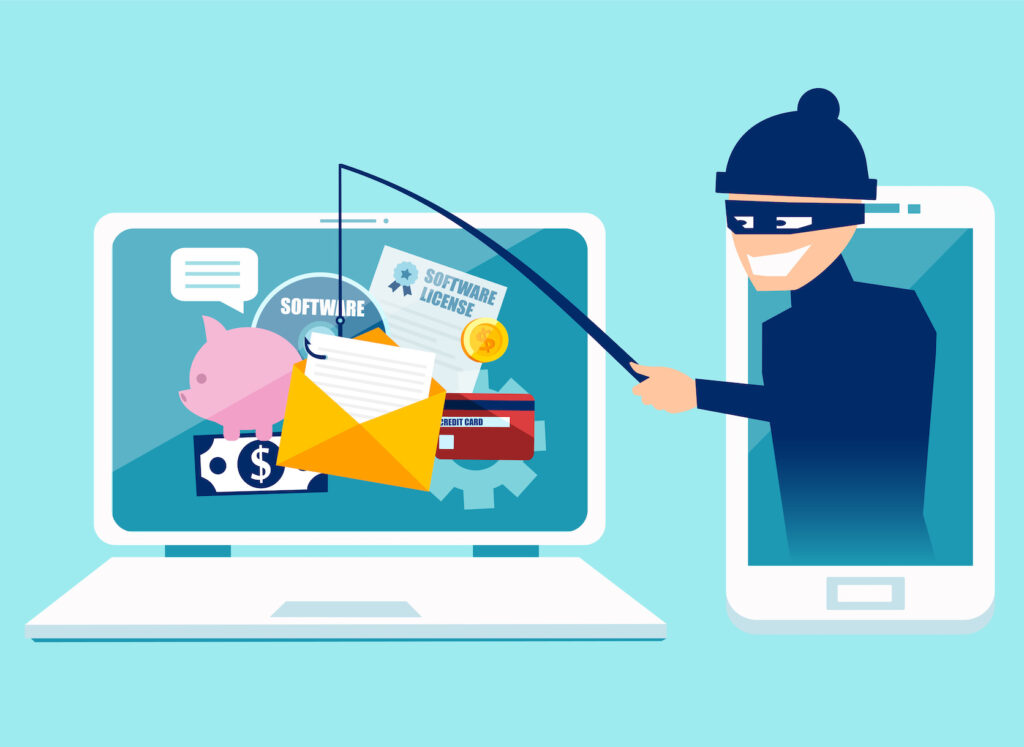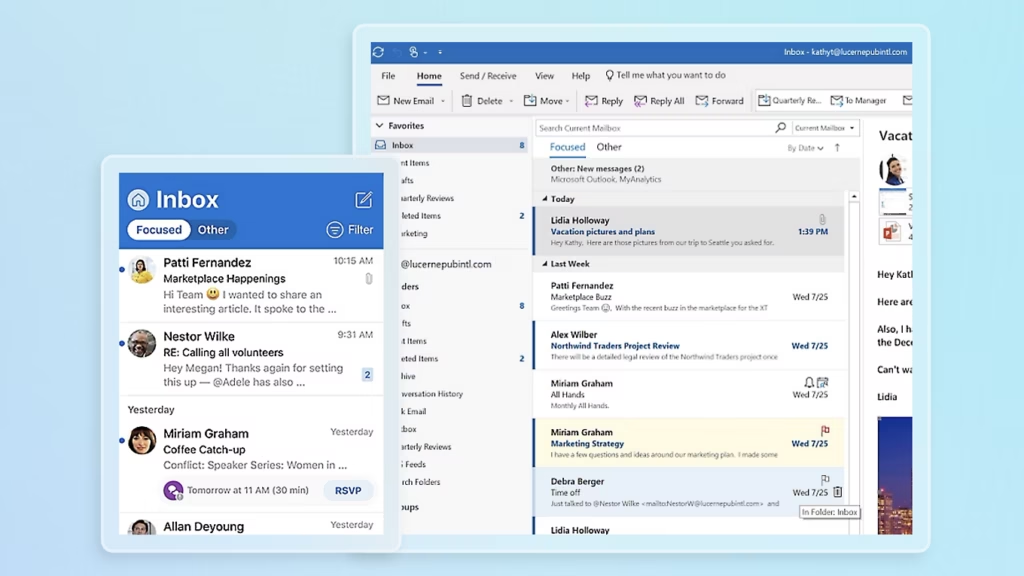
Spear phishing is one of the more dangerous forms of phishing because it is designed to look like a legitimate message meant specifically for you.
Instead of sending the same generic email to thousands of people, attackers research their targets and use information about a person, their role, their organisation or their current activities to make the message more convincing.
That might mean an email appearing to come from a managing director asking for a payment, a supplier asking for bank details to be changed, a colleague sharing a document, or a Microsoft 365 notification asking someone to sign in.
The more believable the message looks, the less likely the recipient is to question it.
For businesses, this makes spear phishing more than an email security problem. It can become an identity security, financial fraud, data protection and business continuity problem.
This guide explains what spear phishing is, how it works, how to spot it, how it differs from ordinary phishing and whaling, and the technical and organisational measures businesses can use to reduce the risk.

What is spear phishing?
Spear phishing is a targeted form of phishing in which an attacker creates a convincing message specifically designed to deceive a particular person or organisation.
The attacker may research the target before sending the message. Information can come from company websites, LinkedIn profiles, social media, public documents, previously compromised accounts or other publicly available sources.
The National Cyber Security Centre describes targeted phishing campaigns as attacks where information about employees or organisations is used to make messages more persuasive and realistic.
Microsoft similarly defines spear phishing as phishing that uses focused, customised content tailored to particular recipients, often after attackers have carried out reconnaissance.
That personalisation is what separates spear phishing from many generic phishing campaigns.
A generic phishing email might say:
“Your account has been suspended. Click here to verify.”
A spear phishing email might instead say:
“Hi James, following our conversation about the Manchester office move, can you review the attached supplier document before today’s 3pm meeting?”
The second message has context.
It sounds like something the recipient might genuinely receive.
That is the point.
Why is spear phishing dangerous for businesses?
Spear phishing exploits something that technology cannot completely remove: trust.
Businesses communicate constantly through email. Employees receive messages from customers, suppliers, directors, colleagues, accountants, solicitors and technology providers.
An attacker does not necessarily need to break through a firewall if they can persuade an employee to hand over credentials or authorise a fraudulent payment.
The potential consequences include:
- Stolen Microsoft 365 credentials
- Business email compromise
- Fraudulent payments
- Theft of customer information
- Unauthorised access to SharePoint or OneDrive
- Malware infections
- Ransomware
- Compromised supplier relationships
- Data breaches
- Account takeover
- Further phishing from a compromised mailbox
The NCSC specifically notes that phishing can be the first step in a targeted attack against a particular employee or organisation.
This is why businesses should not think about spear phishing purely as a problem for employees to solve by “being more careful”.
Security controls need to reduce the opportunity for a single mistake to become a major incident.
How does a spear phishing attack work?
A typical spear phishing campaign can be broken down into several stages.
1. Reconnaissance
The attacker first gathers information about the target.
This could include:
- Job title
- Company name
- Colleagues
- Suppliers
- Current projects
- Office locations
- Upcoming events
- Technology platforms
- Management structure
- Email addresses
- Social media activity
A surprising amount of information can be discovered without directly contacting the victim.
The NCSC warns that information published on websites and social media can contribute to an organisation’s “digital footprint”, which attackers can use to make spear phishing messages more convincing.
2. Choosing the target
The attacker then decides who is most useful.
It might be:
- The finance director
- CEO or managing director
- IT administrator
- HR manager
- Accounts payable employee
- Personal assistant
- Project manager
- Sales director
The target does not necessarily need to be a senior executive.
Someone in accounts who can change supplier bank details could be just as valuable.
3. Creating the message
The attacker creates a message that fits the target.
This is where spear phishing becomes particularly difficult to identify.
The email may contain genuine names, projects, suppliers or terminology.
It might appear to come from someone the employee knows.
The message could ask the recipient to:
- Click a link
- Open a document
- Sign into Microsoft 365
- Confirm a payment
- Change supplier details
- Share information
- Download software
- Send a file
- Approve an invoice
4. Creating pressure
Attackers often introduce urgency.
The NCSC highlights authority, urgency, emotion and scarcity as common techniques used to encourage people to act before thinking carefully.
For example:
“Can you make this payment before 4pm?”
“I am in a meeting, so please don’t call me.”
“This needs to be completed today.”
“Your account will be disabled unless you verify it.”
The objective is to shorten the time between receiving the message and taking the requested action.
5. Exploiting the response
If the employee clicks the link, enters their password, opens an attachment or follows the attacker’s instructions, the next stage begins.
The attacker may now have credentials, access to an account, financial information or a foothold from which to continue the attack.
What does a spear phishing email look like?
There is no single visual template.
That is part of the problem.
A sophisticated spear phishing email may look almost identical to a genuine business message.
However, there are warning signs.
An unusual request
The message asks you to do something that is unusual for that person or organisation.
A sudden payment request
A director or supplier suddenly asks for money to be transferred.
A change to bank details
A supplier asks you to update their payment information.
This should always be independently verified.
A login request
An email asks you to sign into Microsoft 365, SharePoint, OneDrive or another service.
A slightly different email address
The display name may be correct while the underlying email address is not.
For example:
David Wilson
could appear as the sender while the actual address is an unfamiliar domain.
Urgent or unusual language
The attacker wants you to act quickly.
A link that does not match the destination
The visible text may look legitimate while the actual destination is somewhere else.
A message that arrives at an unusual time
This alone does not prove an email is malicious, but it can become more significant when combined with other warning signs.


Spear phishing vs phishing
The two terms are closely related.
Phishing is the broader category.
It commonly involves fraudulent messages designed to trick people into clicking malicious links, opening attachments, revealing information or transferring money.
Spear phishing is more targeted.
The attacker has usually researched the intended recipient and adapted the message to increase its credibility.
Think of it this way:
Phishing: cast a wide net.
Spear phishing: identify a specific person and create a message designed for them.
The NCSC makes the same distinction when describing targeted phishing campaigns.
What is whaling?
Whaling is a form of highly targeted phishing aimed at senior or high-value individuals.
Typical targets might include:
- CEOs
- CFOs
- Managing directors
- Company founders
- IT administrators
- Senior finance employees
The objective can be financial fraud, credential theft or access to valuable information.
Microsoft describes whaling as phishing directed towards high-level executives and other high-value targets.
A common example is a fraudulent email appearing to come from a CEO asking the finance team to urgently transfer money.
Spear phishing and business email compromise
Spear phishing is also closely associated with business email compromise (BEC).
A successful attack might begin with stolen credentials.
Once an attacker gains access to an employee’s mailbox, they may monitor conversations before deciding what to do.
This can make the eventual fraud much more convincing.
For example, an attacker could discover that a company is waiting for an invoice from a supplier.
Instead of sending an obviously fraudulent email, they could intervene in the existing conversation and attempt to redirect the payment.
This is one reason compromised accounts can be more dangerous than a single malicious email.
How businesses can protect against spear phishing
There is no single security product that completely eliminates spear phishing.
Effective protection is layered.
1. Secure email
Email security should examine incoming messages, links, attachments and sender behaviour.
Microsoft 365 environments already include anti-phishing capabilities, while additional security controls can provide further protection depending on the organisation’s requirements.
For businesses looking to strengthen this area, NetMonkeys provides managed security services covering areas including threat detection, monitoring and security management.
2. Multi-factor authentication
If an attacker steals a password, MFA can provide an additional barrier.
MFA should be particularly important for administrator accounts and other high-value users.
However, MFA should not be treated as a complete solution.
Attackers increasingly use techniques designed to manipulate authentication workflows, which is why identity protection needs to sit alongside email security, endpoint protection and user awareness.
3. Conditional access
Businesses using Microsoft 365 can use identity and access controls to restrict risky sign-ins and enforce stronger authentication requirements.
This can reduce the damage caused by stolen credentials.
4. Endpoint detection and response
If an employee does interact with a malicious attachment or link, endpoint security can help identify suspicious activity on the device.
NetMonkeys uses managed EDR and security monitoring as part of its wider approach to protecting endpoints and responding to threats.
5. Security awareness training
Technology is only one part of the solution.
Employees should know how to recognise suspicious messages and, importantly, what to do when they receive one.
Training should cover realistic situations rather than simply telling employees:
“Don’t click suspicious links.”
Employees should understand how attackers use authority, urgency, personal information and existing business relationships.
6. Phishing simulations
Simulated phishing campaigns can help organisations understand how employees respond to realistic scenarios.
NetMonkeys includes phishing simulation campaigns within its managed IT services, helping organisations test awareness and improve their defences.
The purpose should not be to catch employees out.
It should be to identify where additional education or technical controls are needed.
What should you do if you receive a suspected spear phishing email?
The first rule is simple:
Stop.
Do not immediately click, reply or transfer money.
Instead:
- Do not click links.
- Do not open unexpected attachments.
- Do not enter your password.
- Check the sender carefully.
- Consider whether the request is normal.
- Verify unusual financial requests using a separate communication channel.
- Report the message through your organisation’s security process.
- Contact IT if you think you have interacted with it.
The NCSC recommends not clicking links in suspicious messages and provides reporting routes for suspected phishing.
If you have already entered a password, downloaded something suspicious or provided sensitive information, tell your IT or security team immediately.
Do not wait to see what happens.
The NCSC specifically advises people who have received a suspicious message on a work device to contact their IT department.
What should a business do after a suspected spear phishing attack?
The response depends on what happened.
If someone only received the email, the priority may be reporting and removing it.
If someone clicked a link, the organisation may need to investigate the device and the URL.
If credentials were entered, the account should be treated as potentially compromised.
If a mailbox was accessed, security teams may need to investigate:
- Sign-in activity
- Authentication logs
- Mailbox rules
- Forwarding settings
- Suspicious messages
- Unusual data access
- Other accounts accessed using the credentials
This is where having security monitoring and an established incident response process becomes valuable.
NetMonkeys’ cybersecurity consultancy services include areas such as identity and access controls, endpoint and email security and incident response planning.
Why spear phishing is a business-wide security issue
It is tempting to classify spear phishing as an email problem.
It is not.
A successful attack can cross multiple parts of an organisation’s technology environment.
Email → identity → endpoint → cloud → data → finance
That is why security needs to be layered.
A strong security strategy might combine:
- Email security
- MFA
- Conditional access
- EDR
- Security awareness
- Phishing simulations
- Secure configuration
- Network security
- Backup and recovery
- Monitoring
- Incident response
- Cyber Essentials
- Security policies
NetMonkeys’ remote IT support also incorporates security awareness, phishing simulations, endpoint controls and secure remote access, which becomes increasingly important as businesses operate across offices, home working and cloud environments.
How can SMEs reduce spear phishing risk?
Small and medium-sized businesses can be particularly exposed because they may not have dedicated security teams monitoring threats around the clock.
That does not mean SMEs need to replicate the security operation of a multinational company.
It means prioritising the controls that reduce the most realistic risks.
A sensible starting point includes:
Protect identities
Use MFA and strong access controls.
Protect email
Deploy appropriate email filtering and anti-phishing protection.
Protect endpoints
Use modern endpoint security rather than relying solely on traditional antivirus.
Train employees
Give staff practical training that reflects the attacks they are likely to encounter.
Test your people
Use phishing simulations to identify weaknesses.
Monitor for suspicious activity
Security monitoring can identify signs of compromise that an individual employee may never see.
Have an incident response plan
Employees should know exactly who to contact if they click something they should not have.
For organisations that need broader protection, NetMonkeys’ managed IT services combine proactive IT management with cybersecurity and monitoring.
Can AI make spear phishing worse?
Yes.
AI can make it easier for attackers to produce convincing messages at scale.
Historically, obvious spelling mistakes or awkward wording were often treated as warning signs.
That is becoming a less reliable indicator.
Attackers can use AI to produce fluent messages, adapt tone and create highly personalised communications.
That means businesses should not rely on grammar or spelling alone when judging whether an email is legitimate.
At the same time, AI can also be used defensively.
Security platforms can use machine learning and behavioural analysis to identify unusual patterns across emails, identities and endpoints.
The important point is that AI changes both sides of the security equation.
Human awareness remains important, but it should sit within a broader technical security strategy.
Spear phishing FAQs
Is spear phishing the same as phishing?
No. Phishing is the broader category, while spear phishing is a targeted form that uses information about a particular person or organisation to make the attack more convincing.
What is an example of spear phishing?
An attacker might impersonate a company director and email an employee in finance asking for an urgent payment. The message could reference a real project, supplier or meeting to make it appear genuine.
Can spear phishing happen through Microsoft 365?
Yes. Microsoft 365 accounts can be targeted through phishing, credential theft and other social engineering techniques. Protecting Microsoft 365 therefore requires appropriate identity, email, endpoint and monitoring controls.
What is the difference between spear phishing and whaling?
Whaling is generally used to describe highly targeted phishing aimed at senior or high-value individuals, such as executives.
Can spear phishing lead to ransomware?
Yes. A phishing message can be used to steal credentials or deliver malicious content, which can then become an entry point for a wider attack. Microsoft’s current threat guidance notes that spear phishing can be used to obtain credentials or deliver malware that provides attackers with access to systems.
What should I do if I clicked a spear phishing link?
Tell your IT or security team immediately. Do not assume that nothing happened simply because you did not see an obvious warning. If you entered credentials, tell your IT team what information you entered so they can take appropriate action.
Final thoughts
Spear phishing works because it is designed around people, relationships and context.
The most convincing attack may not look like an obvious scam. It may look like an ordinary email from someone you know, discussing something that is genuinely happening inside your business.
That is why relying on employees to spot every malicious message is not enough.
Businesses need layers of protection covering email, identity, endpoints, cloud services, users and security monitoring.
Security awareness remains an important part of that picture, but it should be supported by technical controls and a clear process for reporting and responding to suspicious activity.
For organisations that want to strengthen their overall cyber resilience, NetMonkeys provides managed security services, managed IT, endpoint protection, security consultancy and ongoing monitoring for UK businesses.